Spectators want to see who is on course and who leads. Rally Control has a TV view, a big read-only board in the same window, and Show on TV puts the TV board on a second screen while you keep the controls. The network screens and OBS overlays follow the rally too.
Before you start
- A rally running in Rally Control.
- For Show on TV: a TV or projector plugged into this PC, with Windows set to Extend (Win + P).
Step by step
- 1
Open Rally Control
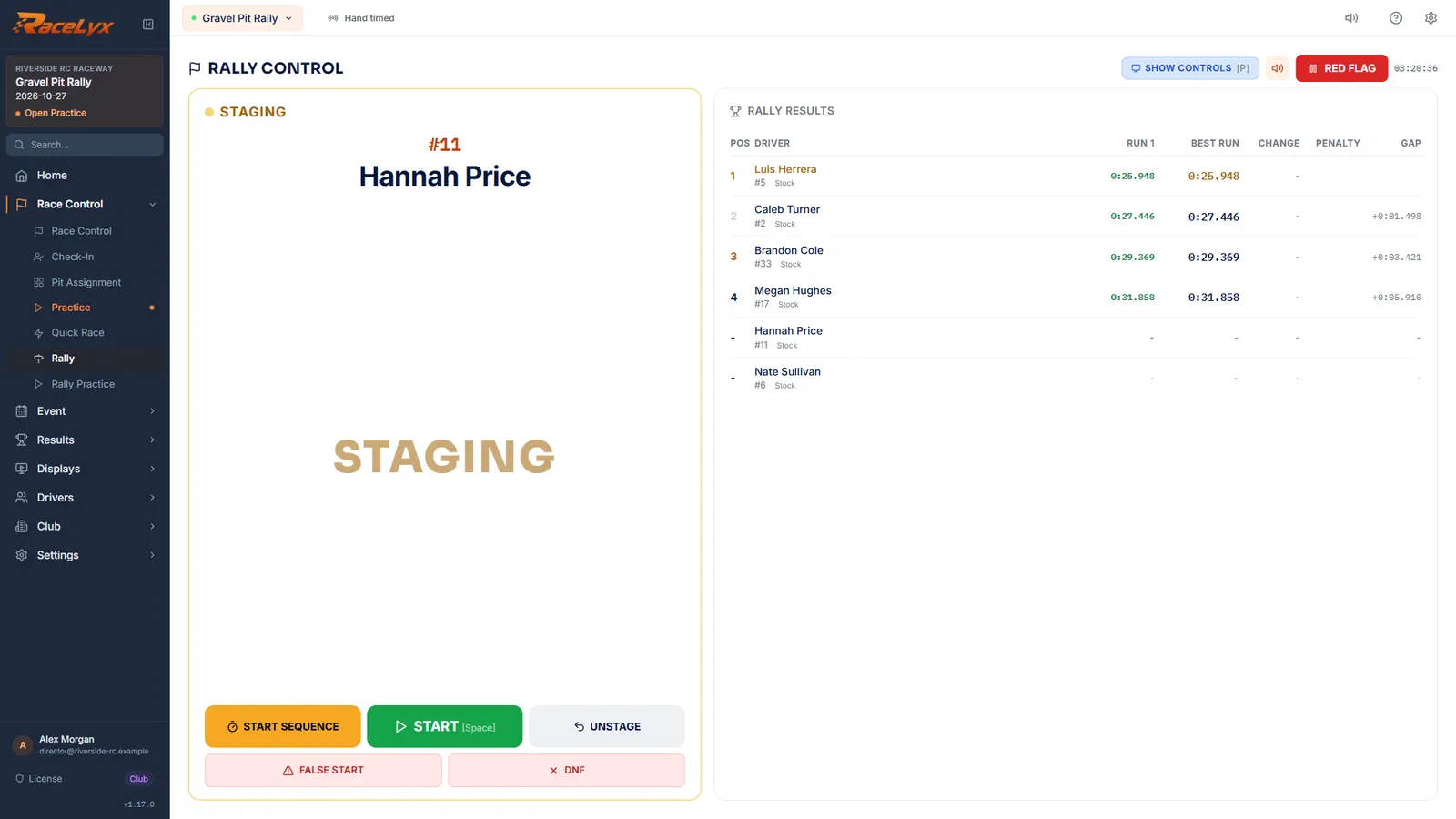
Open Race Control, Rally. The rally is under way.
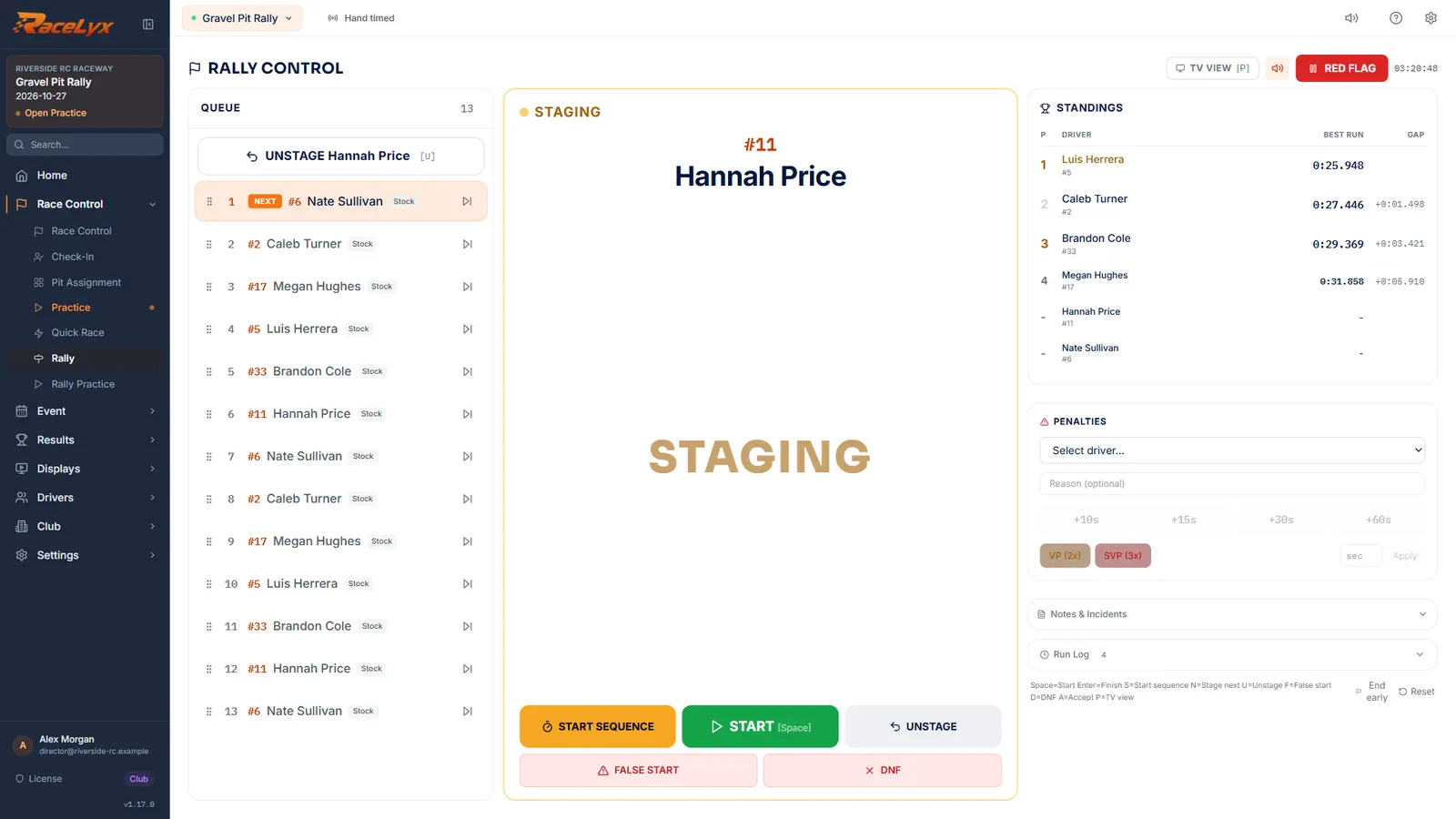
Rally Control shows the queue, the car on course and the standings. The Projected Order panel, marked ESTIMATE, guesses the order counting cars still on course.
- 2
TV view
Click TV view, or press P. A big, read-only board fills the window: the car on course and the standings.
Use it on a projector driven from this PC, between runs or when someone else works the start. The run buttons are hidden in TV view.
- 3
Show controls
Click Show controls, or press P again, to get the buttons back.
The button always names the view it switches to.
- 4
Pick the TV
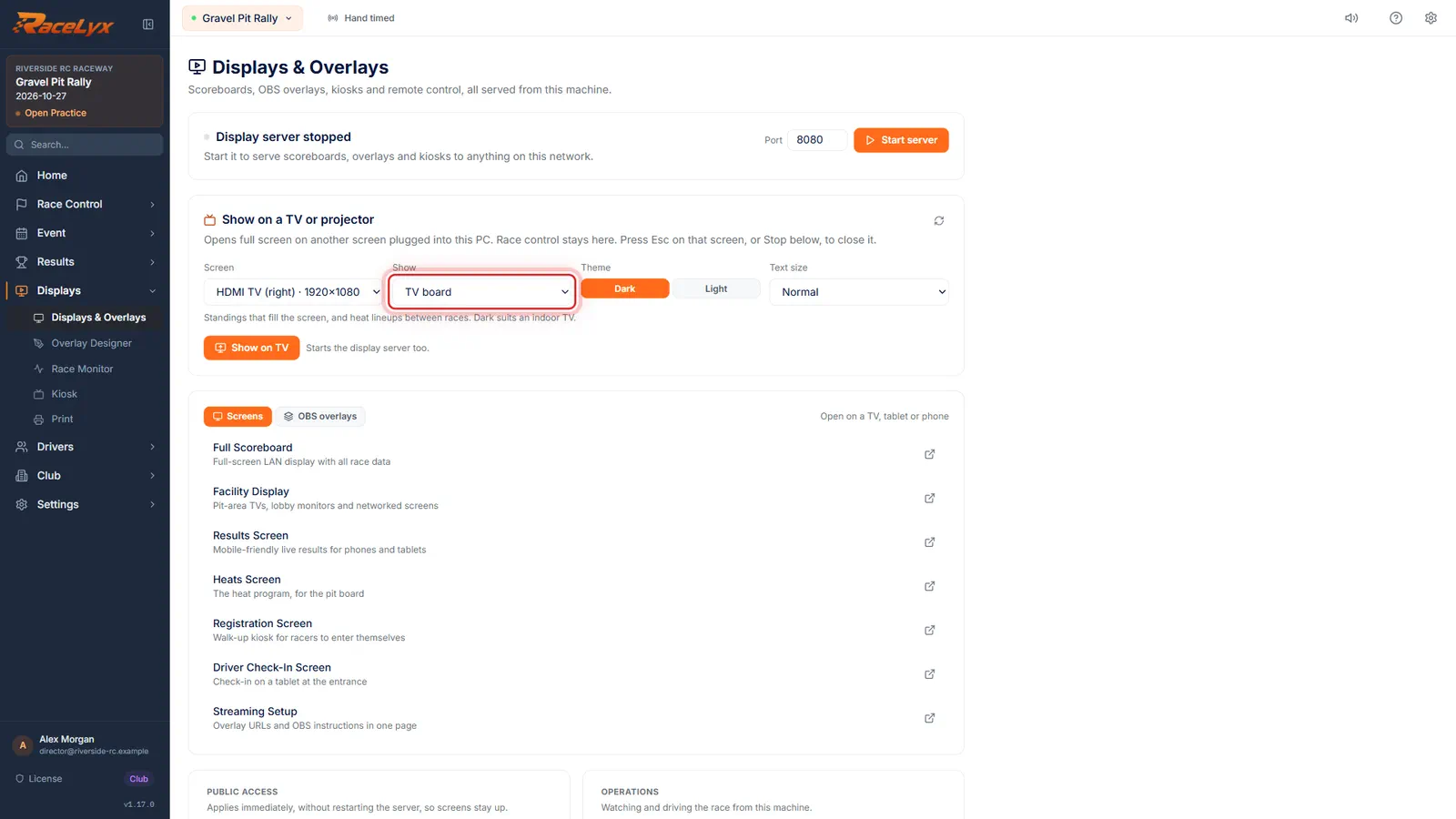
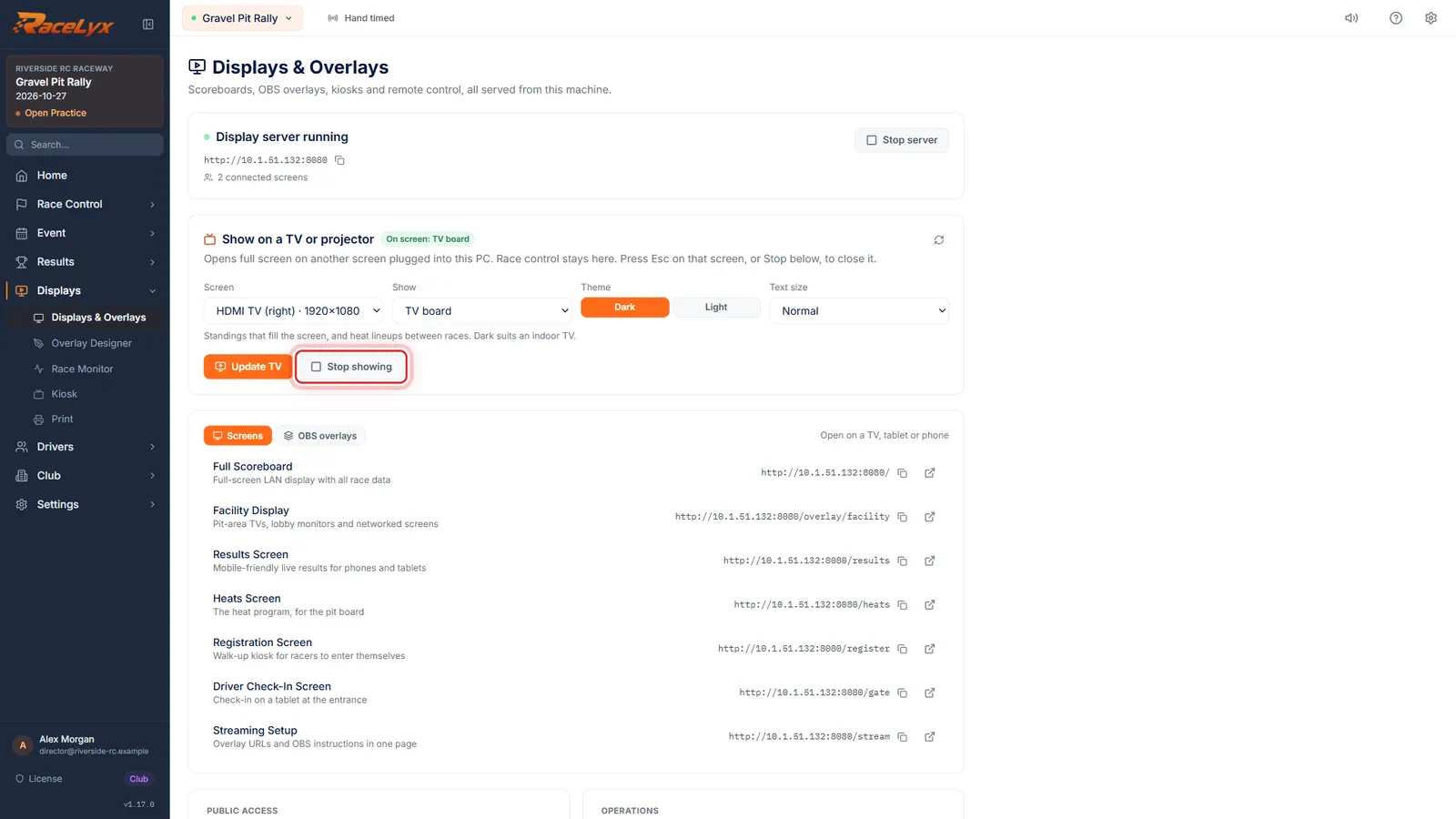
For a second screen, open Displays and pick the TV under Screen. Leave Show on TV board.
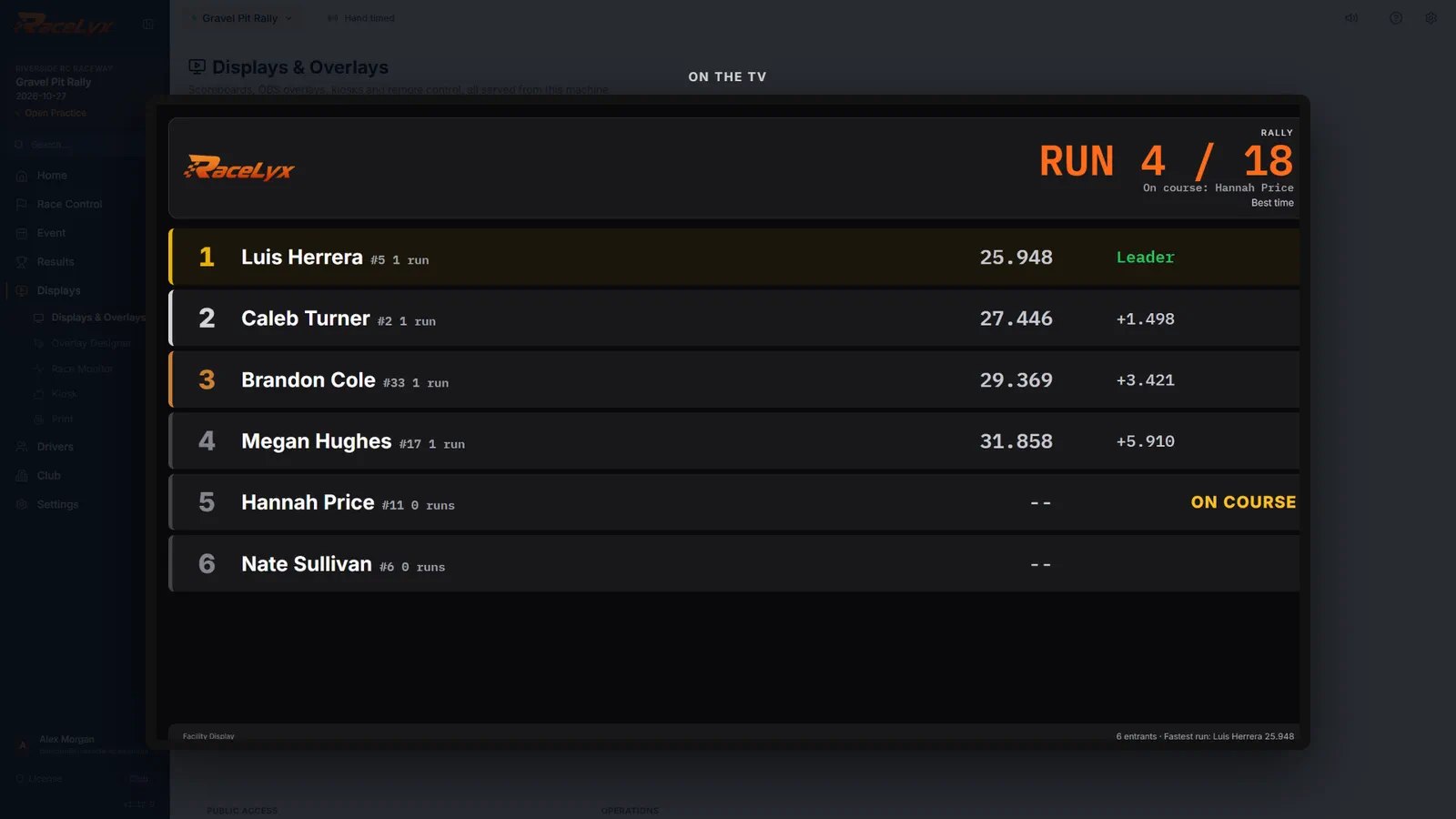
TV board fills the screen with standings; for a rally it shows NOW RUNNING with the car on course and the running order. Theme and Text size suit the room.
- 5
Show on TV
Click Show on TV. The rally fills the TV, and Rally Control stays on your screen.
It starts the display server too, so phones, tablets and OBS can follow the same rally.
- 6
Stop showing
Click Stop showing when the rally is done.
Update TV changes what is shown without closing it. On the TV itself, Esc closes it.
Tips
- Press P to switch Rally Control between TV view and the controls.
- On the TV board a rally shows NOW RUNNING with the car on course and the running order.
- Projected Order, marked ESTIMATE, guesses the order counting cars still on course. Standings counts finished runs only.
- OBS overlays show a rally too. Battle says one car on stage at a time, since a rally has no head to head.
Troubleshooting
- TV view hides the buttons I need.
- Press P or click Show controls. To keep both, use Show on TV on a second screen.
- "Only one screen is connected."
- Plug in the TV, press Win + P and choose Extend.
Related guides
Something here does not match what you see? Tell us and we will fix the guide.