Rally Practice is open running before the rally. Anyone can run as many times as they like, and the board keeps each driver's best run. It is saved as practice and never counts toward results. The Open Practice card on a rally's Race Settings plans it into the day; this is where it runs.
Before you start
- Nothing for hand timing.
- For timing gates: a rally event with its start and finish gates set in Event Setup, Race Settings.
Step by step
- 1
Open Rally Practice
Open Race Control, Rally Practice.
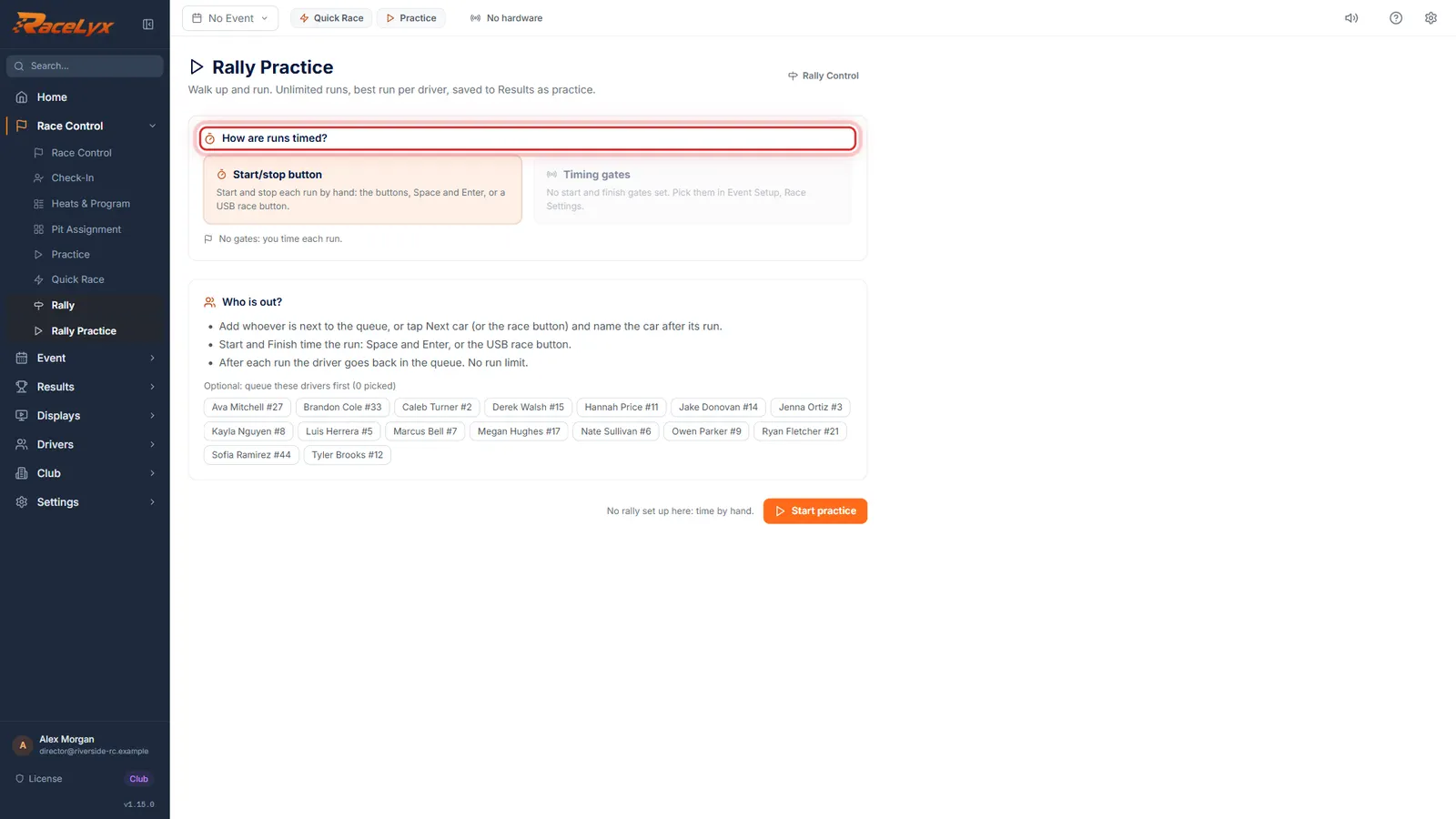
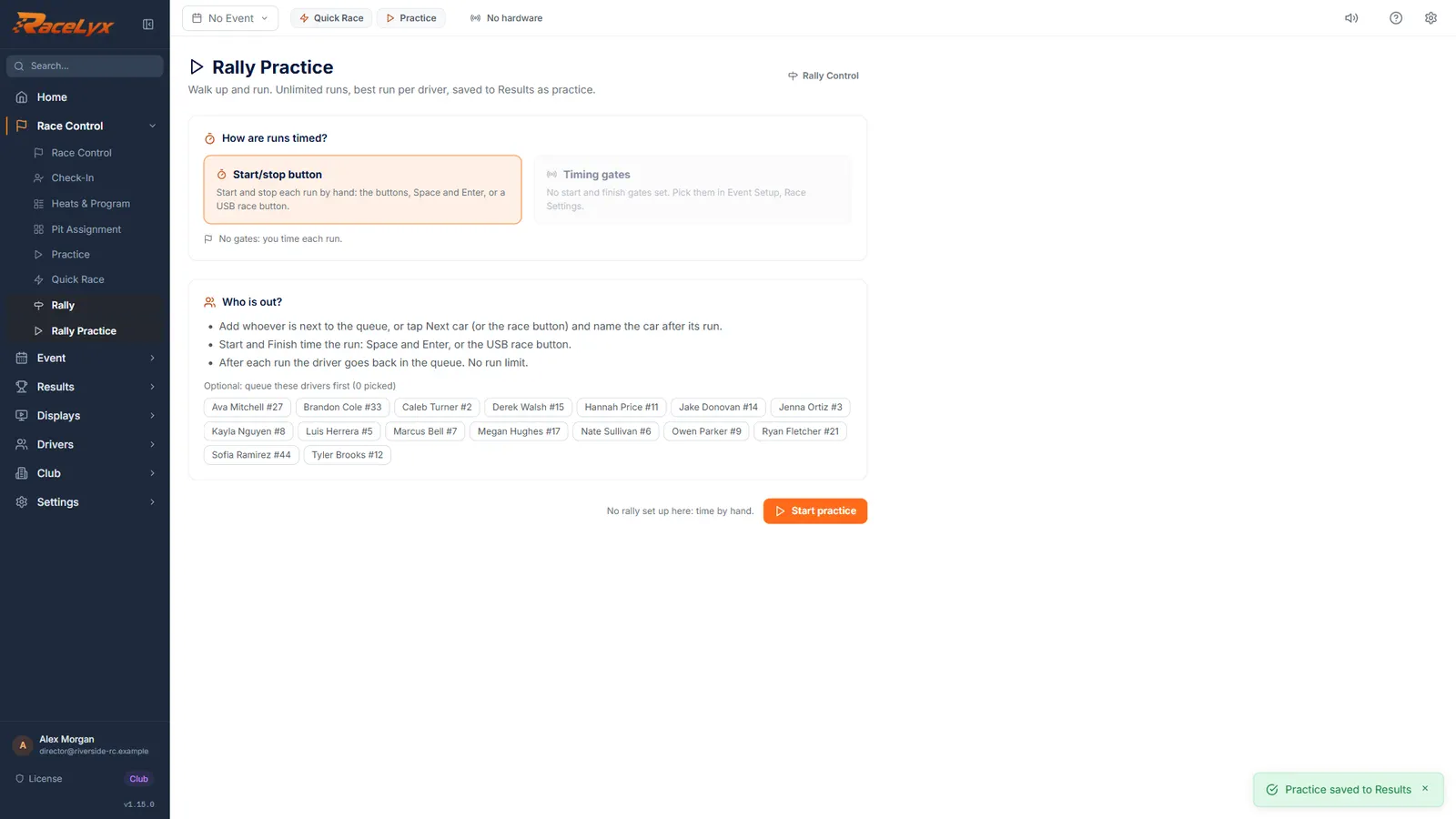
Rally Practice: walk up and run. Unlimited runs, best run per driver, saved to Results as practice. With no rally event active, it times by hand.
- 2
How are runs timed?
Under How are runs timed?, choose Start/stop button.
Start/stop button times each run by hand: the buttons, Space and Enter, or a USB race button. Timing gates uses the rally event's start and finish gates, and is greyed out until they are set.
- 3
Start practice
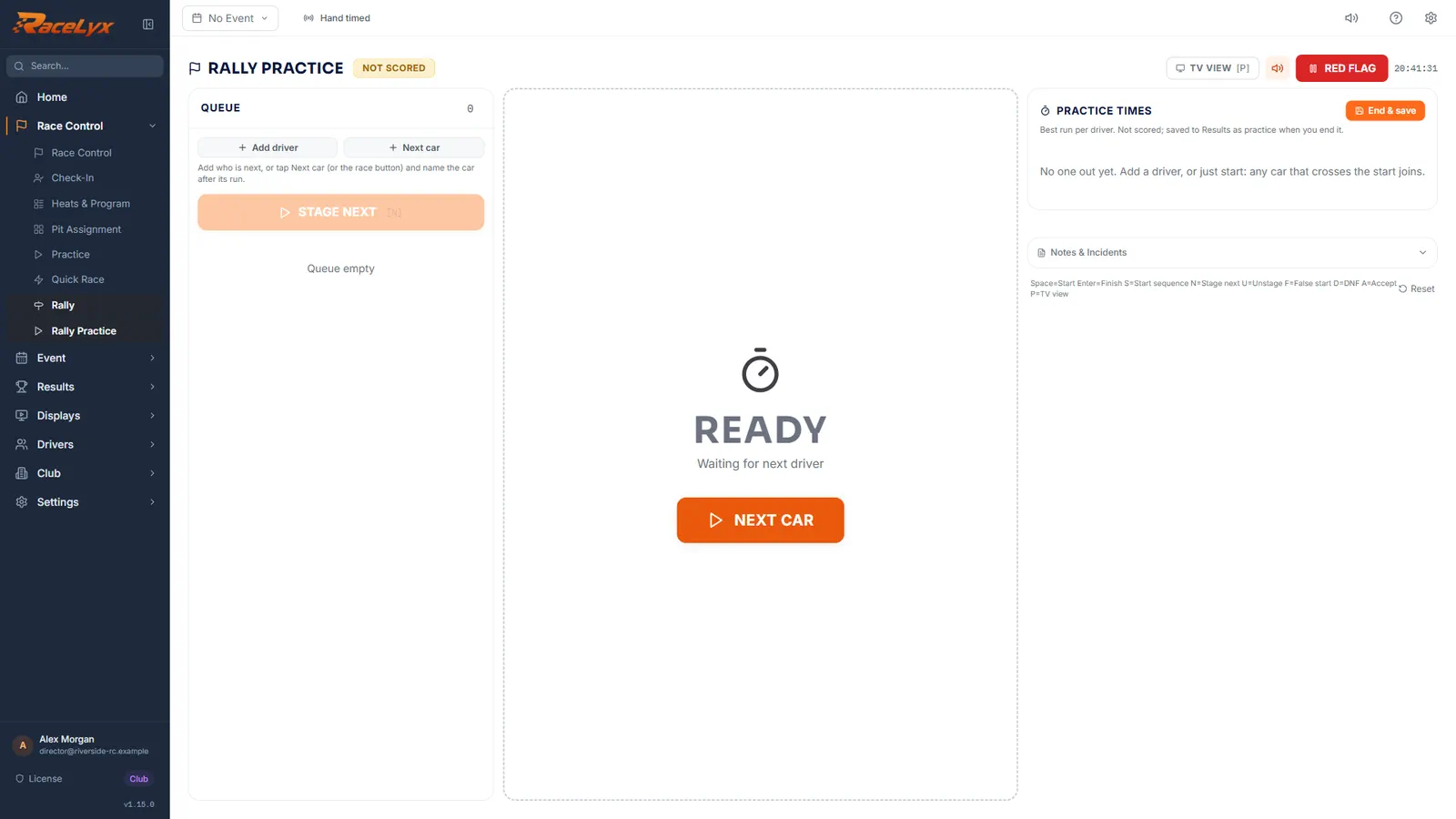
Click Start practice.
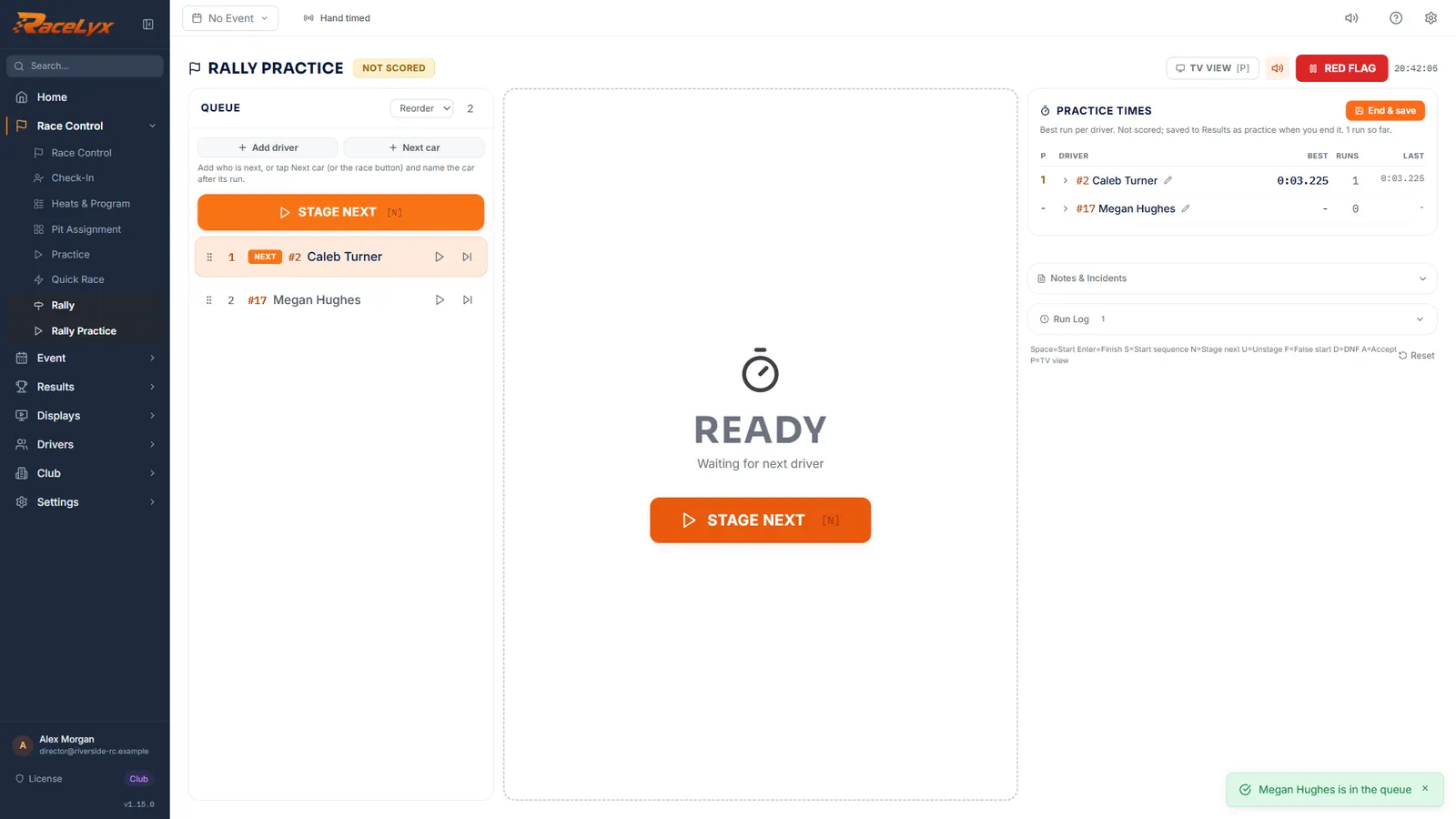
The live board opens with the queue on the left, the car on course in the middle and Practice times on the right.
- 4
Next car
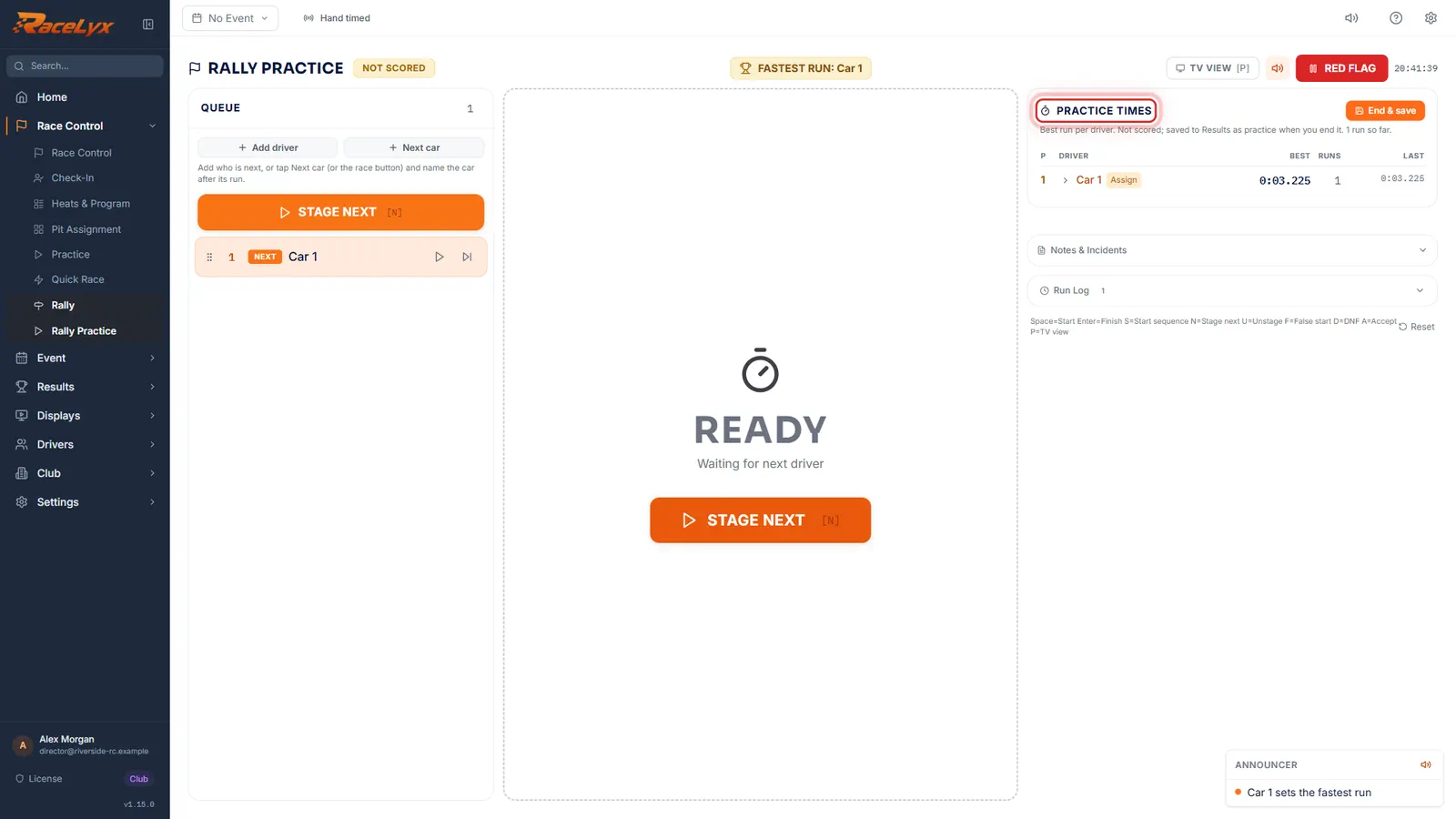
Nobody queued? Click NEXT CAR. Press Space as it leaves, Enter as it finishes, then A to accept.
Next car puts an unnamed car on the line, Car 1, so a walk-up driver never waits for you to type. The run shows in Practice times with Best, Runs and Last.
- 5
Assign the car
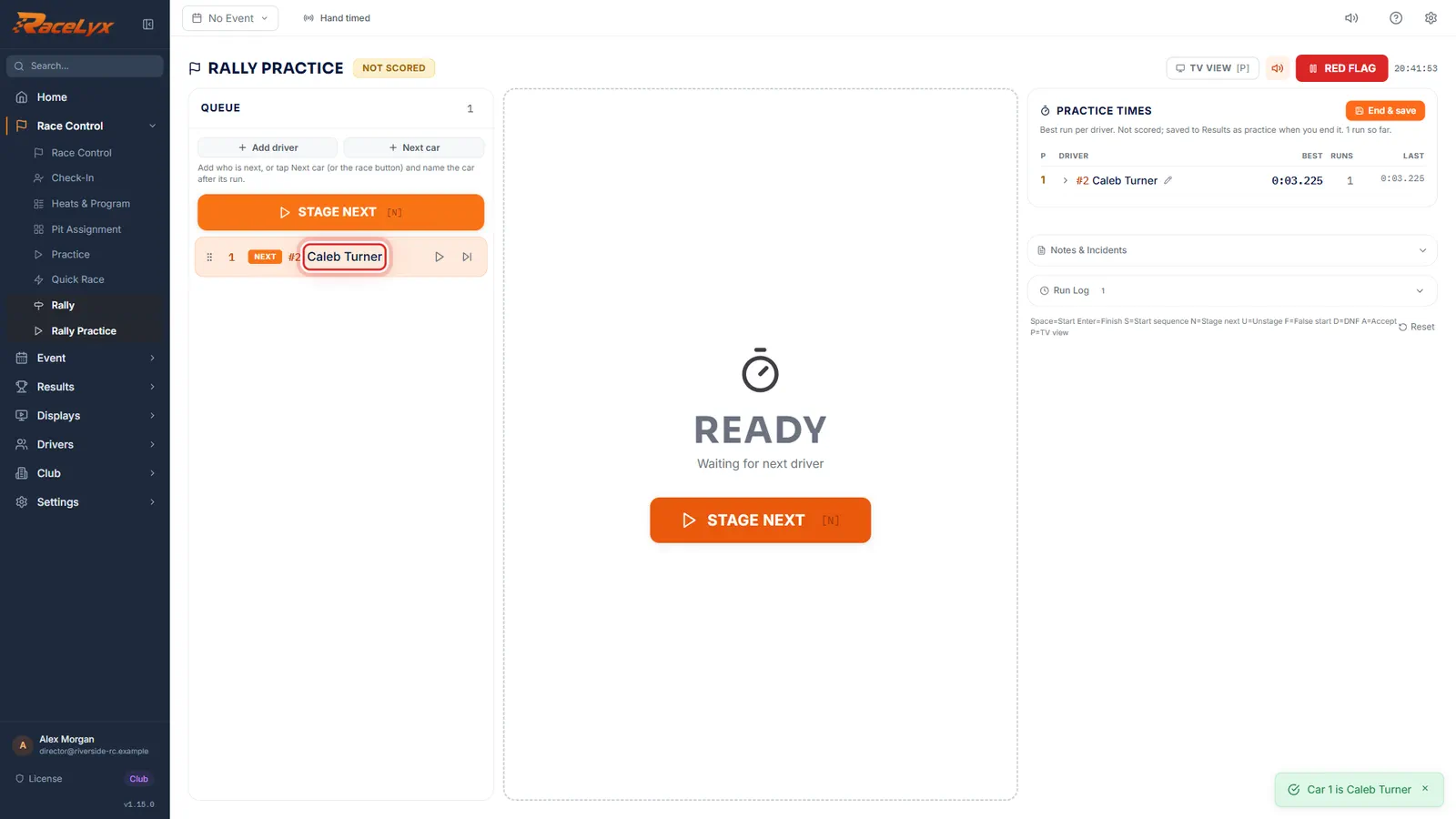
Click Assign on the car's row and pick who drove it. Click Name car.
Search by name, car number or transponder. Someone not in Drivers can be added with a name and car number. The car's runs move to that driver.
- 6
Add a driver
To queue someone by name, click Add driver, search, pick them and click Add to queue.
Queued drivers run in turn: stage them with STAGE NEXT (or N). After each run a driver goes back in the queue, with no run limit.
- 7
End & save
When practice is over, click End & save. It goes to Results as practice.
Toast: "Practice saved to Results". Find it under Results, Recent Results. Practice is never a championship round and never counts toward standings.
Tips
- Next car (or the race button) times the next car without a name. Name it after the run with Assign.
- Add driver queues a named driver: search the name, car number or transponder.
- On timing gates, a transponder car that crosses the start joins by itself, by name when its transponder is on a driver.
- Practice is free on every plan and never counts toward a result or a championship.
Troubleshooting
- "A rally is running."
- Finish or reset the scored rally in Rally Control first.
- Timing gates is greyed out: "No start and finish gates set. Pick them in Event Setup, Race Settings."
- Set the gates on the rally event's Race Settings, or time by hand with Start/stop button.
- "End practice?" Nobody has finished a run.
- There is nothing to save. End practice clears the board without saving.
Related guides
Something here does not match what you see? Tell us and we will fix the guide.