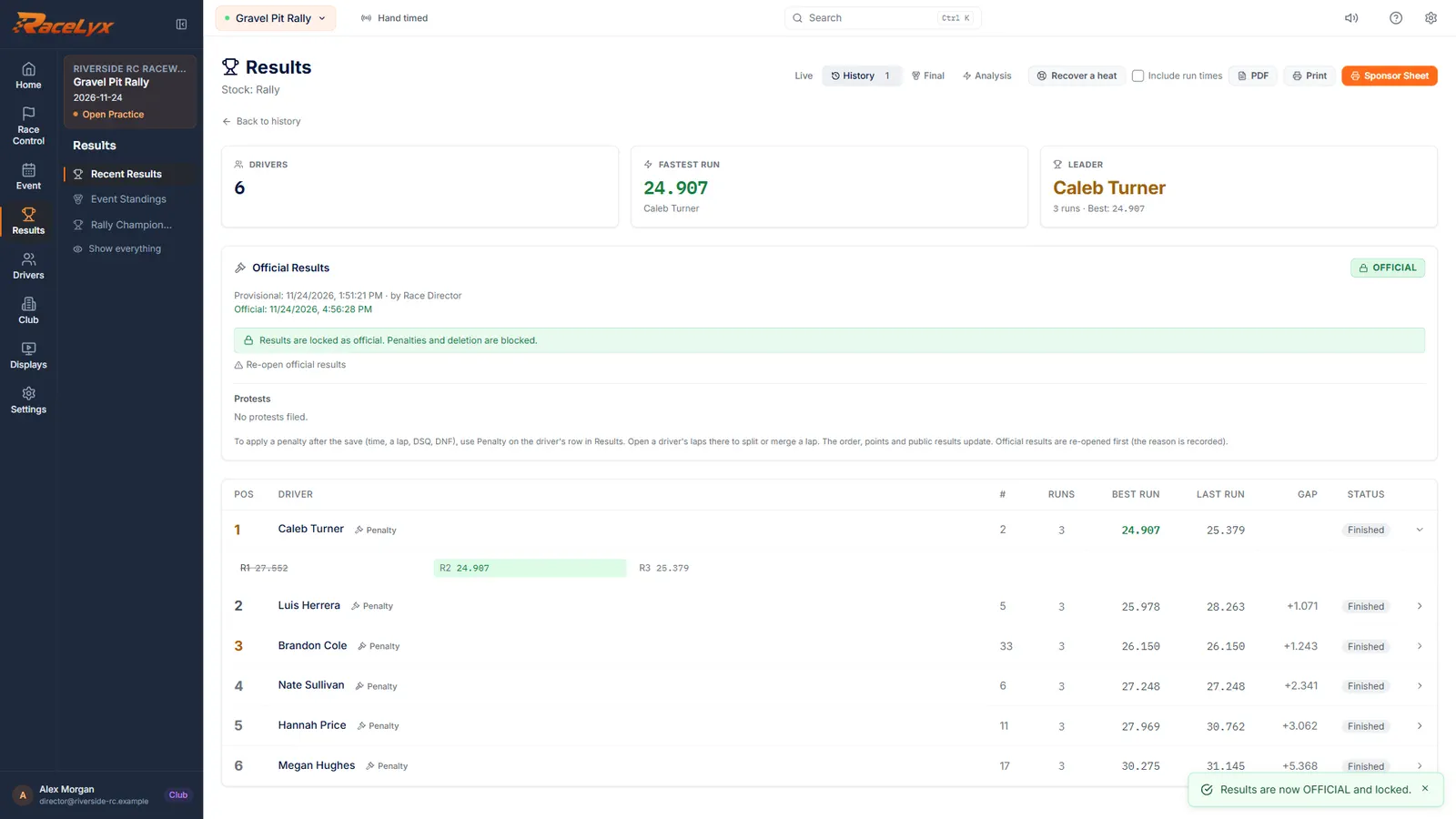
Every saved rally is in Results with each driver's runs and best run. When a run should not count (a cut course, a wrong car on the timing), leave it out: it stays in the list, struck through, and the rally's times and places are worked out again. The website is updated, with the left-out run struck through there too.
Before you start
- A rally finished into Results.
Step by step
- 1
Open Results
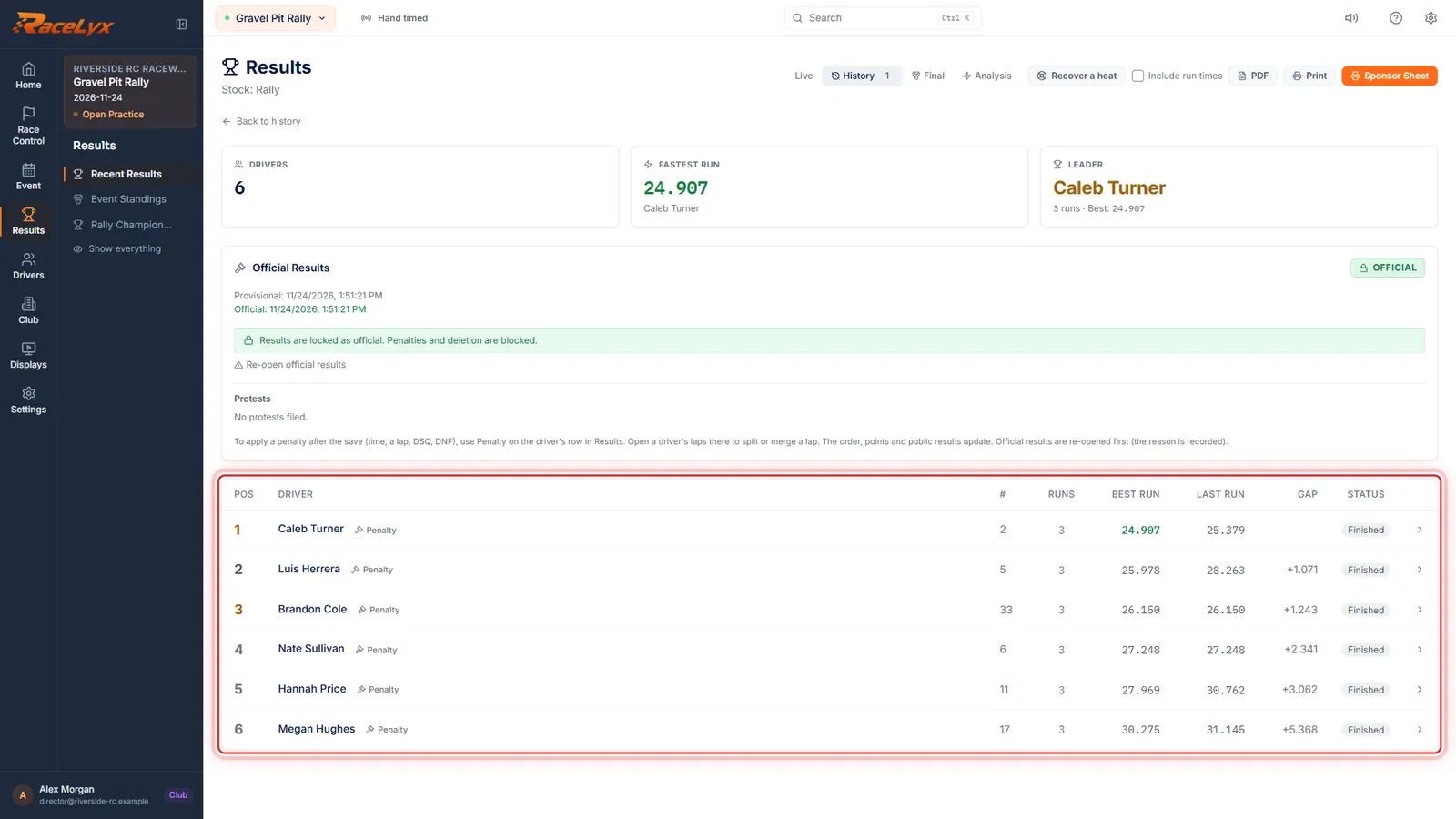
Open Results. The saved rally is listed with the day's other sessions.
Recent Results lists every saved session, newest first, grouped by event. A RALLY badge marks a rally.
- 2
Open the rally
Click it. Each driver shows their runs, best run and last run, ranked on the rally's scoring.
The cards at the top give the number of drivers, the fastest run and the leader. Status is Finished, DNF or DNS.
- 3
Every run
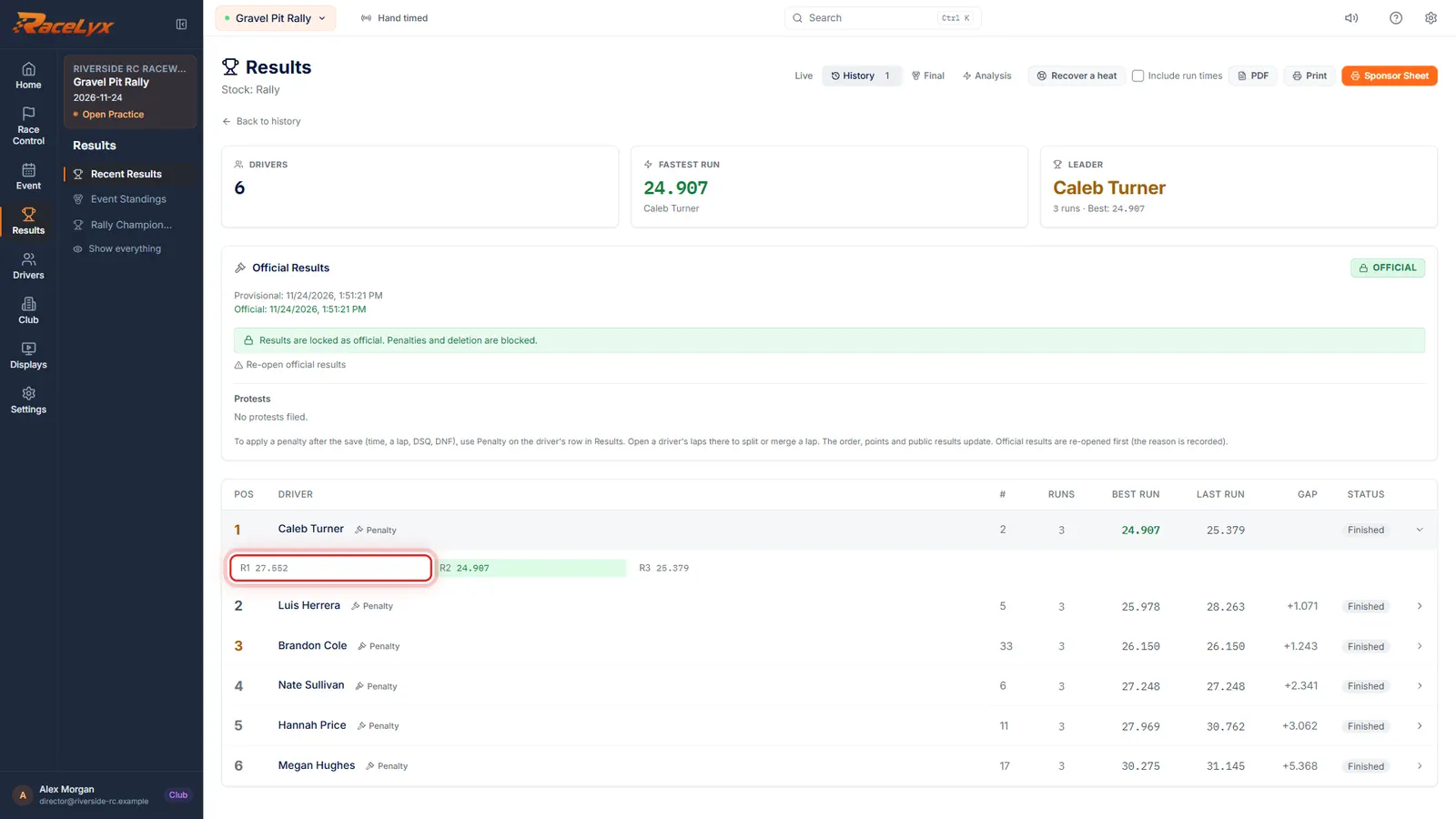
Click a driver to see every run. The best is marked in green.
In a stage rally the chips are the stages, S1, S2 and so on.
- 4
Leave a run out
A run that should not count? Click it, then Leave this run out, and Leave it out.
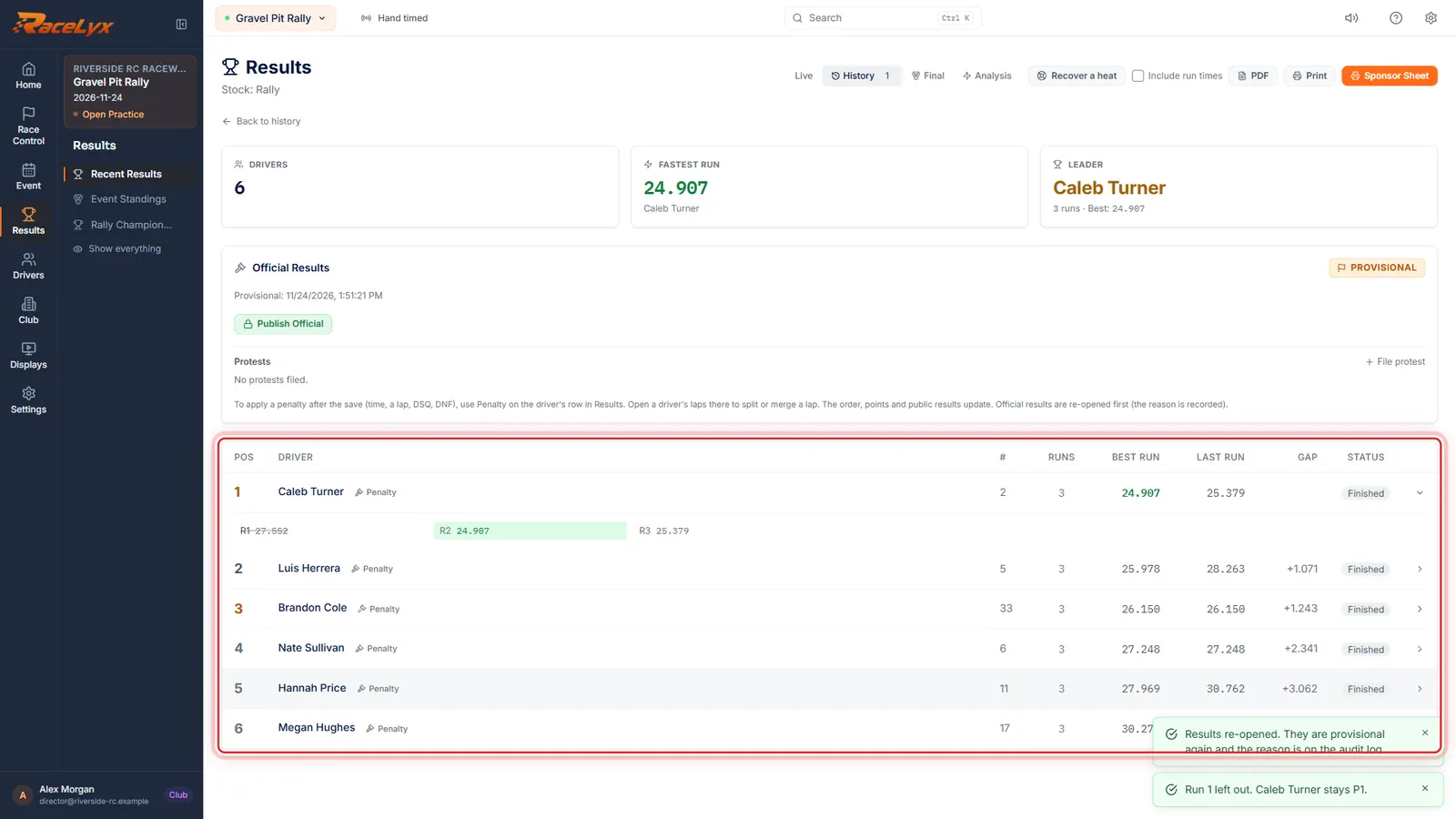
It stays in the list, struck through, but stops counting. The times and places are worked out again without it.
- 5
Say why
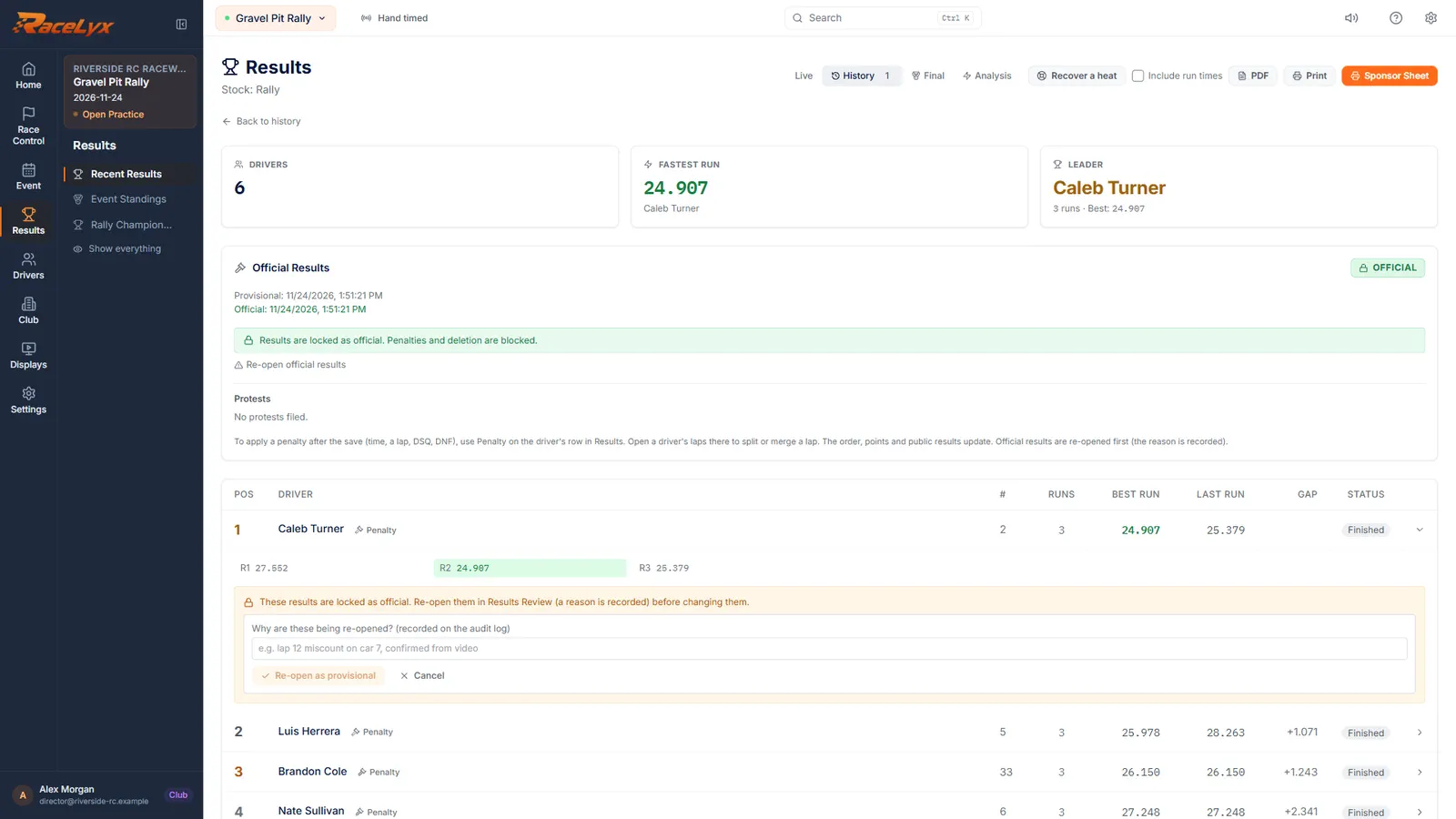
The results are official, so say why they are being re-opened, and click Re-open as provisional.
The reason is kept on the audit log. The run is then left out and the drivers re-ranked; a message says where the driver is now.
- 6
Publish Official
Check the new order, then click Publish Official to lock it again. The website shows the left-out run struck through.
To undo, click the run again and choose Put it back.
Tips
- Official results are locked. Leaving a run out asks for a reason and re-opens them as provisional; click Publish Official when you are done.
- Put it back, on the same run, makes it count again.
- In a stage rally, each S1, S2 chip is a stage; leaving a stage out gives that driver no full time.
Troubleshooting
- These results are locked as official.
- Type why they are being re-opened (it goes on the audit log) and click Re-open as provisional. The run is then left out.
Related guides
Something here does not match what you see? Tell us and we will fix the guide.