One race day can hold several parts, each with its own format, settings, layout and classes: a point-to-point rally in the morning and rallycross in the afternoon, for example. Drivers sign up, check in and pay once. Each part's results are filed under its name, in the day's order.
Before you start
- Classes and drivers set up.
Step by step
- 1
Start the event
Open Event Setup and choose Standalone Event. Name the day, then click Next.
Event Setup is in the Event area. The name covers the whole day.
- 2
The first part
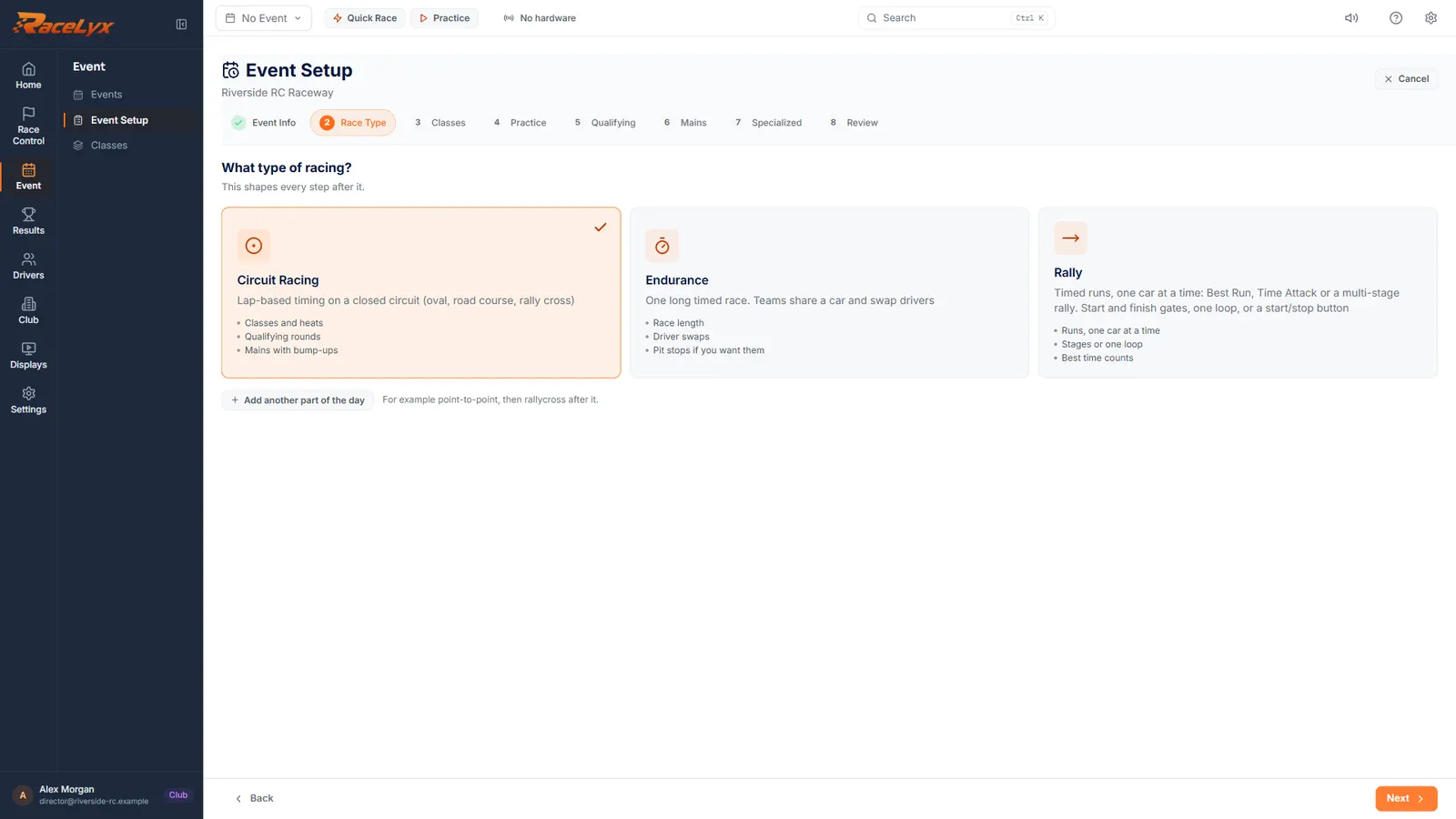
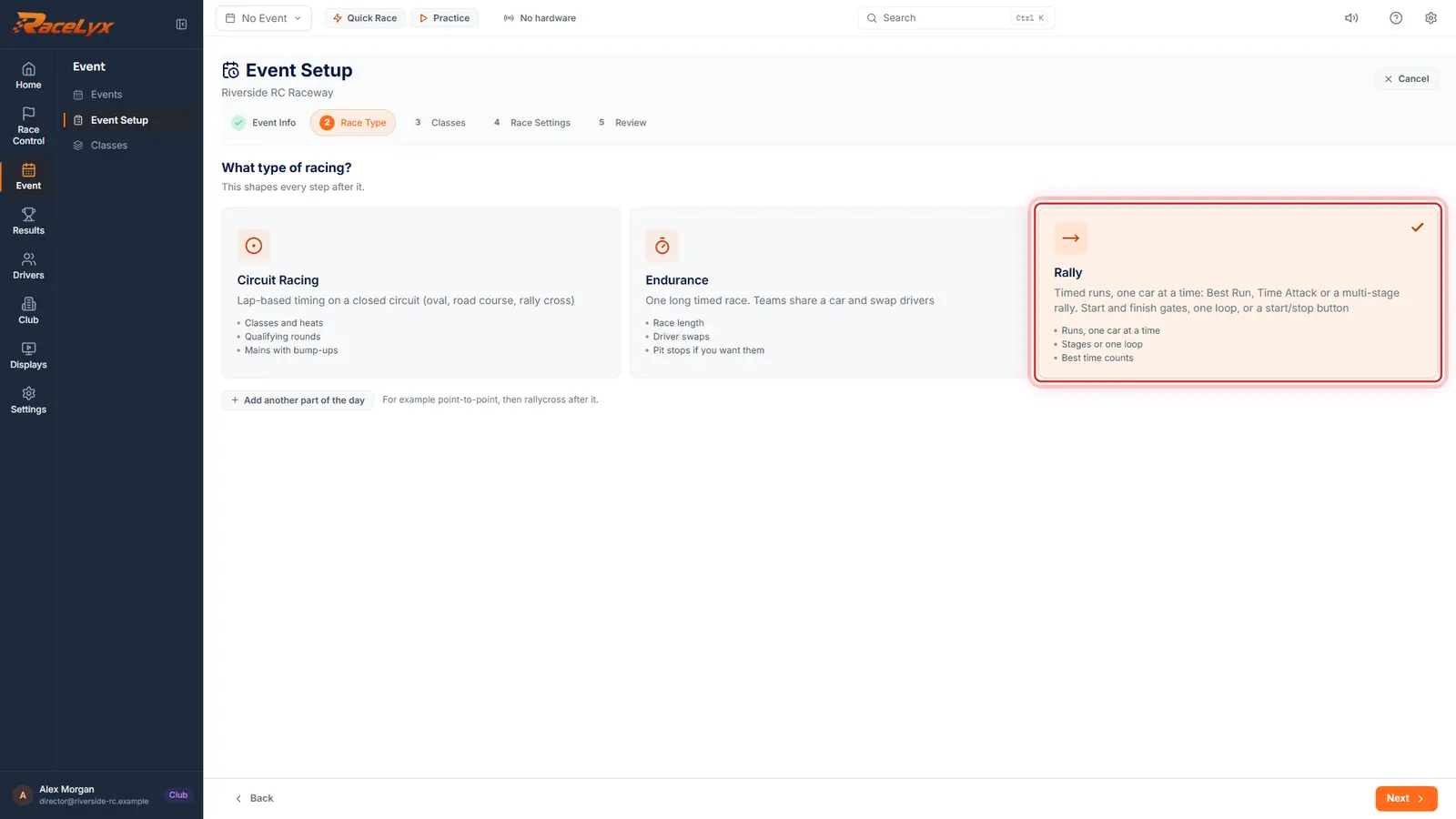
Pick the format for the first part of the day. Here, Rally.
Circuit Racing, Endurance or Rally.
- 3
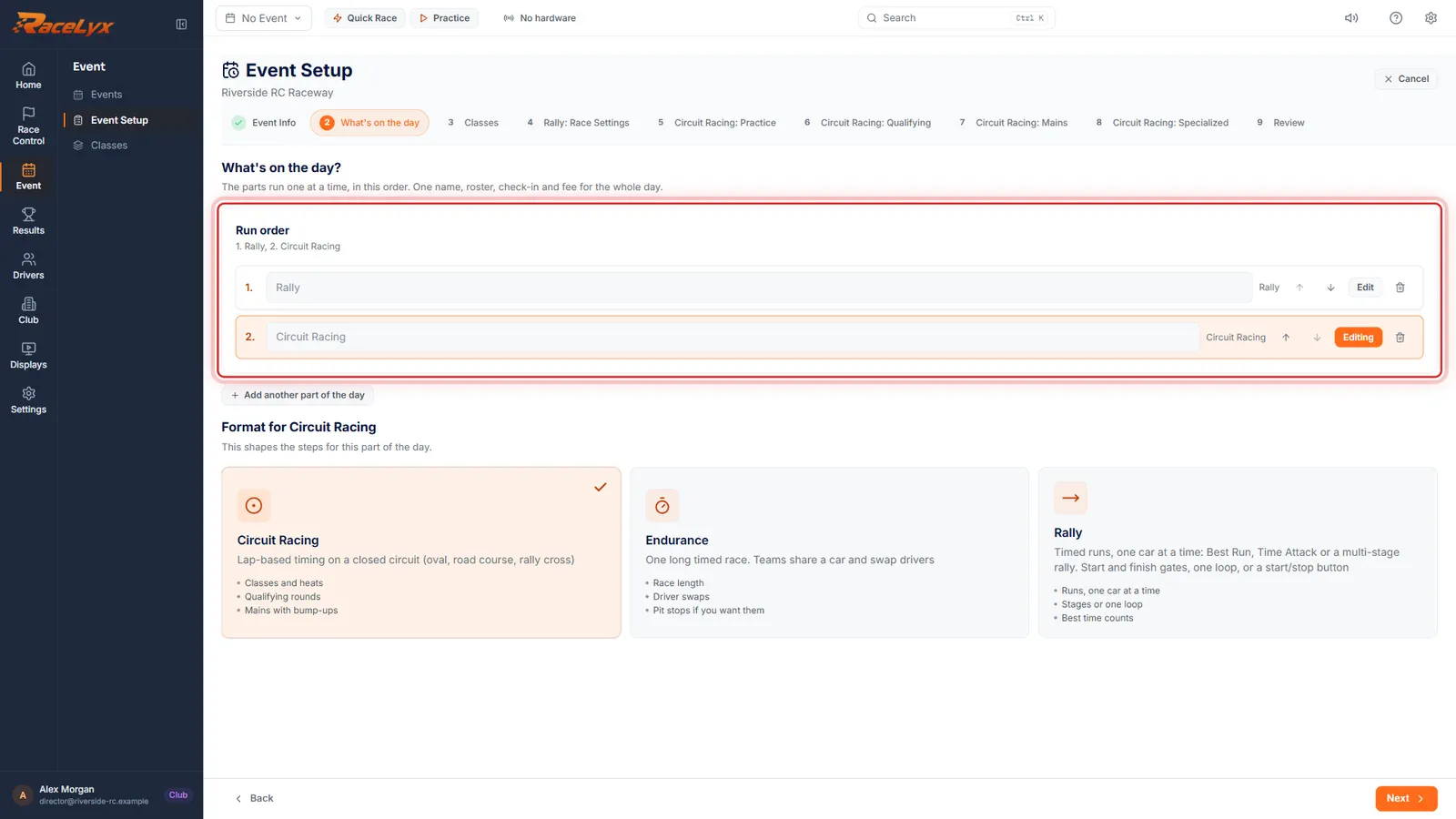
Add another part of the day
Click Add another part of the day, and pick its format. Here, Circuit Racing for the rallycross.
The step becomes What's on the day, with the run order at the top. Each part gets its own steps in Event Setup.
- 4
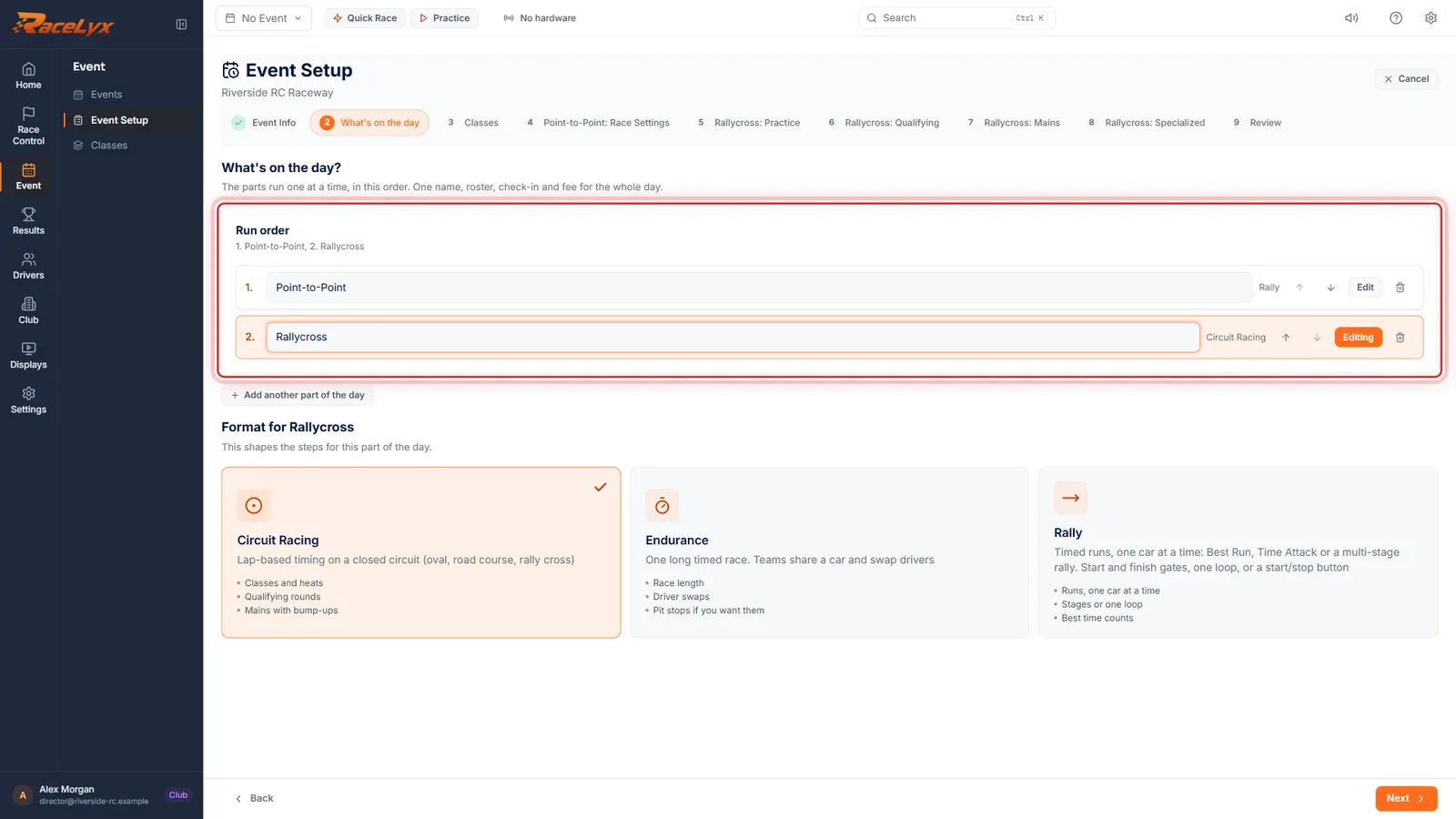
Name each part
Give each part a name your drivers will know. The arrows change the order.
The names show on Race Control, in Results and on the website.
- 5
Classes, then each part's steps
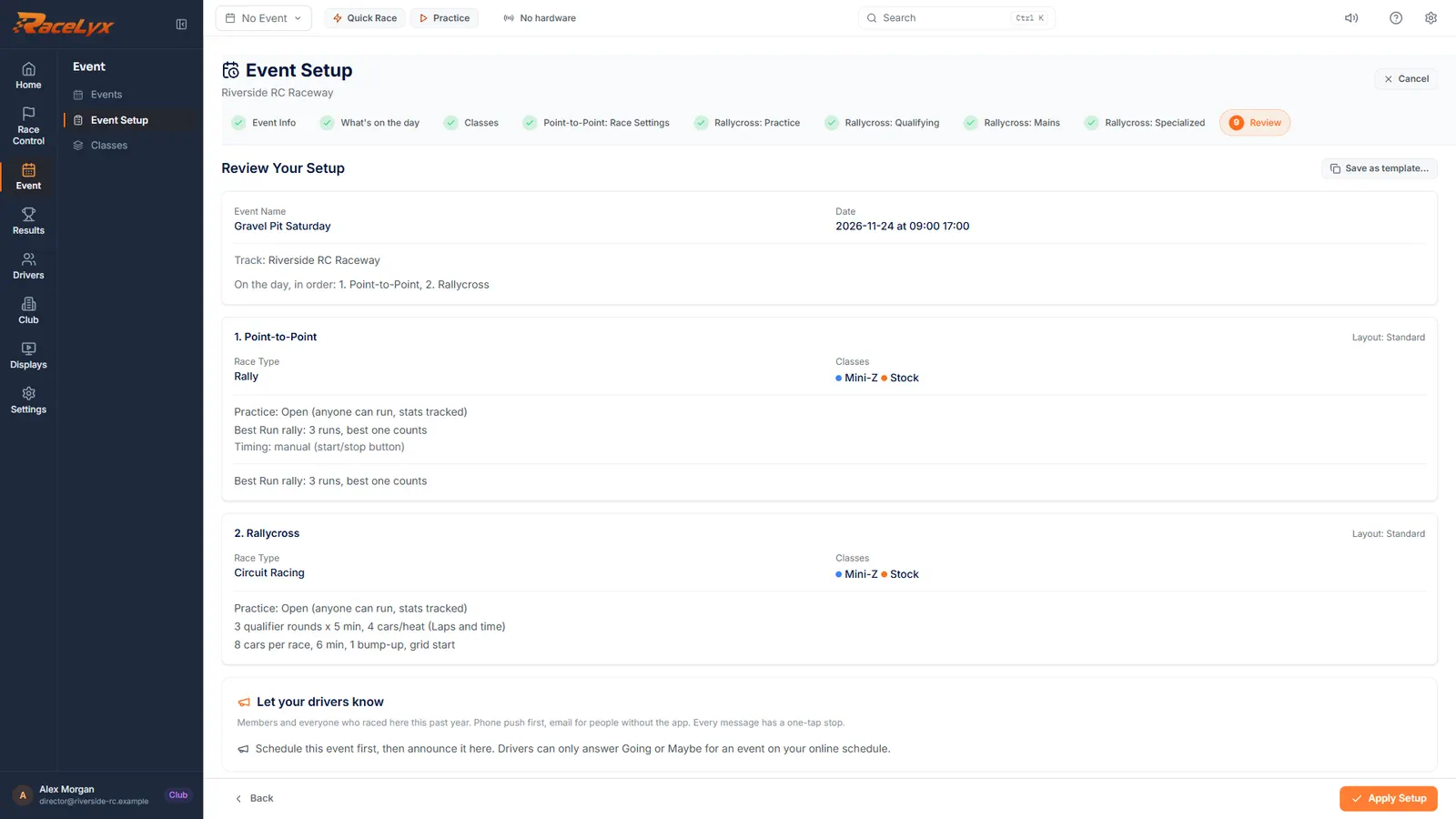
Click Next and tick the classes racing today. Then each part has its own steps: the rally's race settings, then the rallycross practice, qualifying and mains.
The step bar names each one, for example Point-to-Point: Race Settings and Rallycross: Qualifying. Classes is shared by the day.
- 6
Review and Apply
Review lists both parts in order. Click Apply Setup.
Click any step to go back and change it. After Apply, click Skip, or save the day as a template.
- 7
Switch parts on Race Control
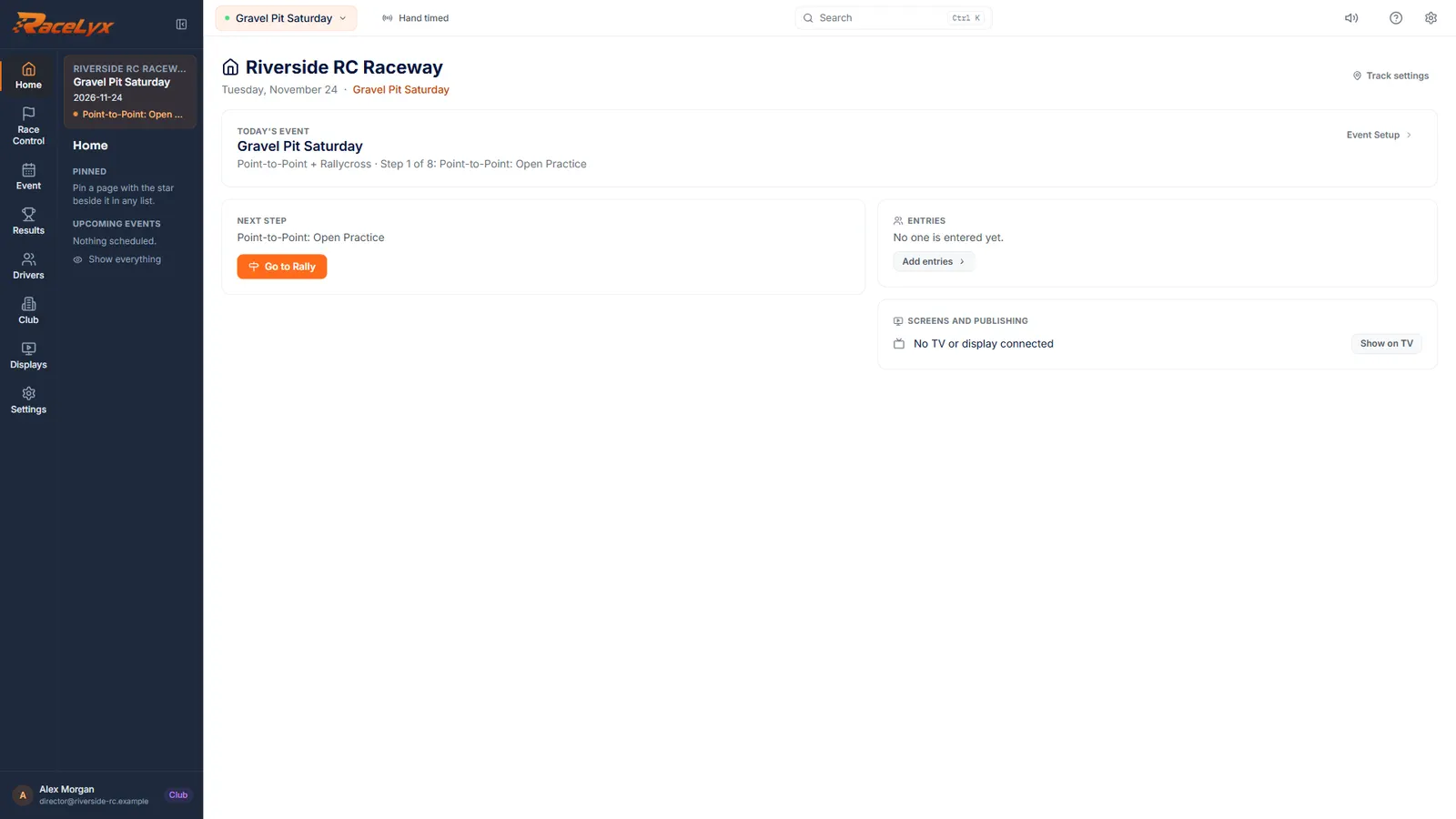
On Race Control, the parts of the day are at the top. The day starts on the first. Click another to switch.
The day moves on by itself when a part's last step is done. Results are filed under the part that was on track.
Tips
- The day starts on the first part and moves to the next when its last step is done. Switch by hand at the top of Race Control any time.
- Use the arrows on What's on the day to change the order, and Edit to change a part's format.
- Results lists the day's sessions under each part's name.
Troubleshooting
- The Rally page says the part isn't on track.
- Another part is running. Switch to the rally part at the top of Race Control, or from the button on that message.
Related guides
Something here does not match what you see? Tell us and we will fix the guide.