Penalties, lap fixes, resets, deleted results and protest rulings are all written to an audit log on this PC, with the time and what changed. When a driver asks why their result changed, this is where you look.
Step by step
- 1
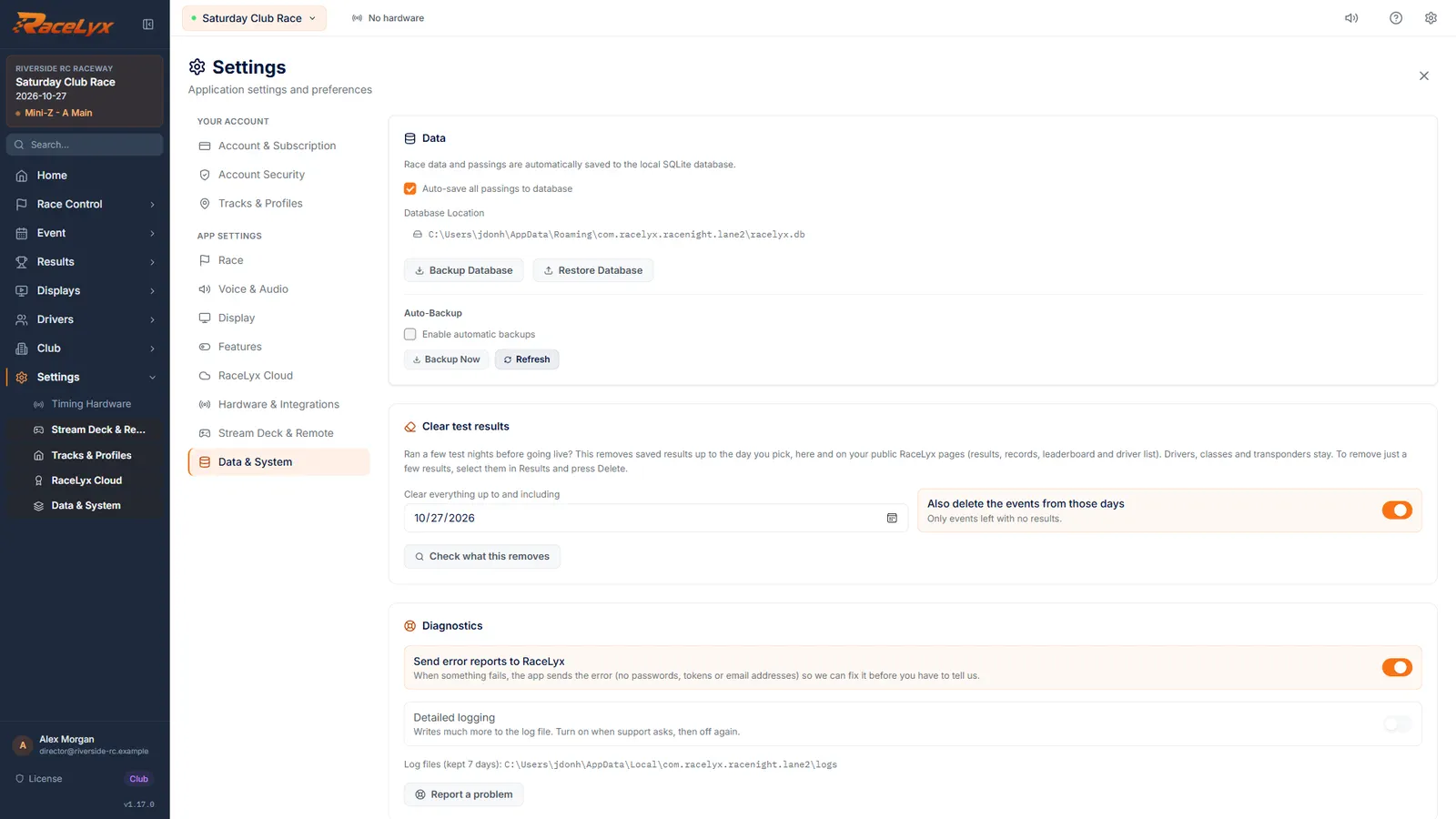
Open Data & System
Open Settings, then Data and System.
Settings is at the bottom of the sidebar. The Data & System tab also holds backups, Clear test results and updates.
- 2
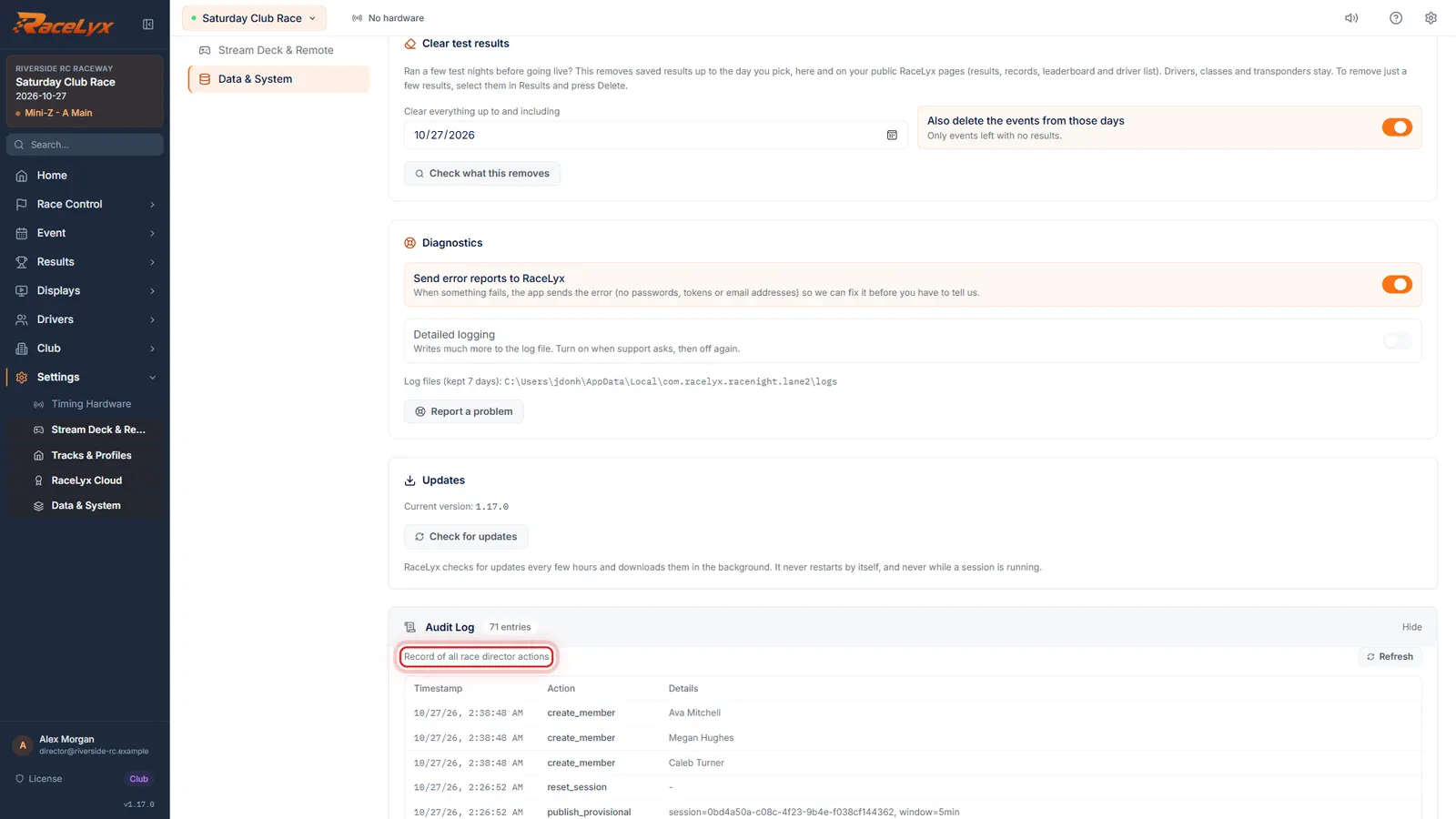
Open the Audit Log
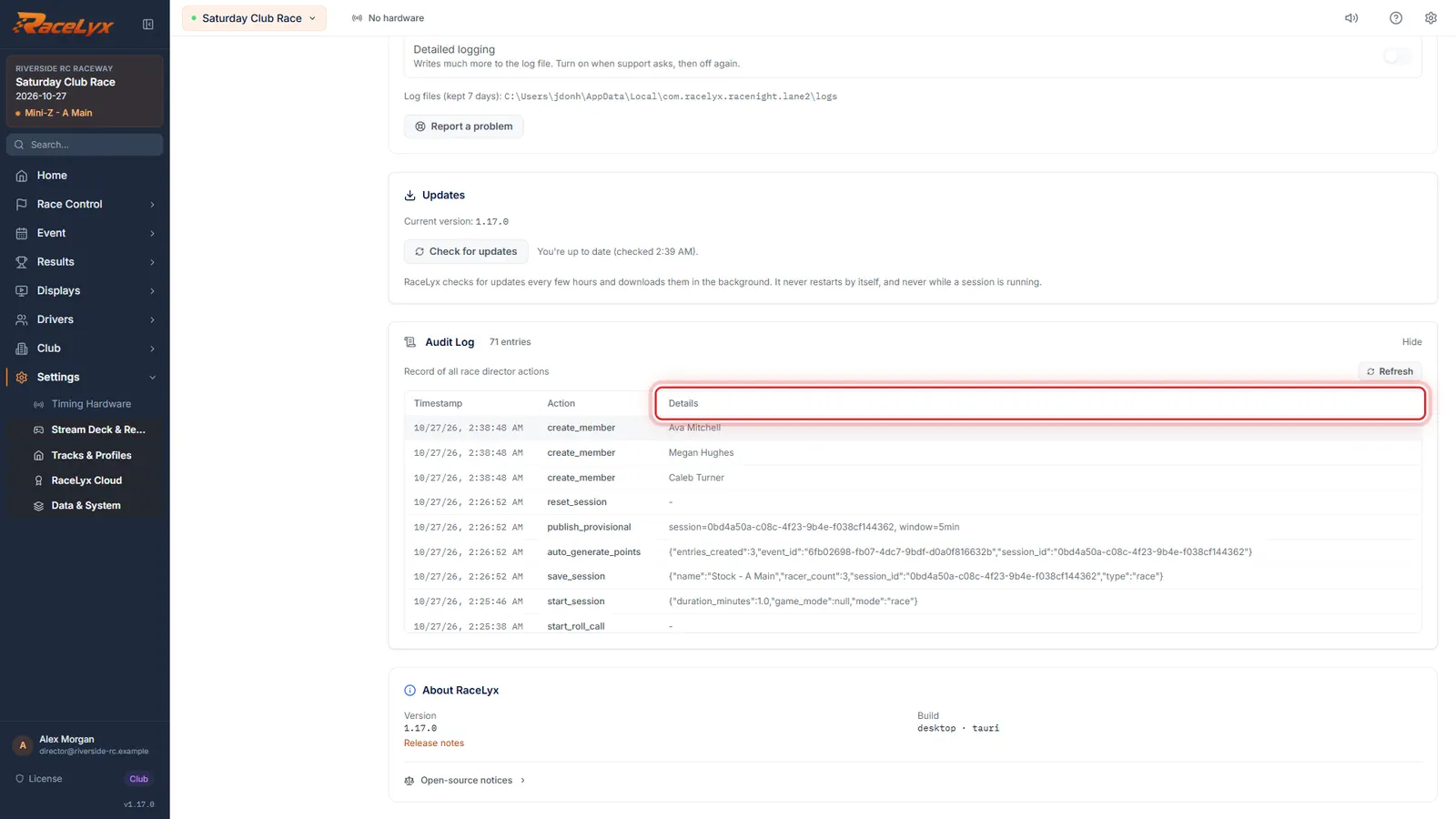
Click Audit Log. Every race director action is listed, newest first.
The table has Timestamp, Action and Details, and the header counts the entries. Here are the saves, points and roll calls from the night.
- 3
Read an entry
Action says what was done. Hover the details to read the whole entry.
For a penalty the details show the transponder, the penalty type, the value and the reason, for example add_penalty with a +5s for "Cut the chicane".
- 4
Refresh
Click Refresh after a change to see it.
The list does not update by itself while it is open.
Tips
- The list shows the latest 200 entries, newest first. Refresh loads anything new.
- Hover a Details cell to read all of it: the transponder, the change and the reason you typed.
- Common actions: add_penalty and delete_penalty, correct_lap, insert_lap and remove_lap (Edit Laps), split_lap and merge_laps, dismiss_missed_read, reset_session, save_session, resolve_protest, set_race_flag and adjust_session_time.
- Type a reason in Why? when you penalise or fix a saved result. It is the first thing you will want when someone asks.
- The log lives in the RaceLyx database on this PC, so a backup keeps it.
Troubleshooting
- "No audit entries yet".
- Nothing has been recorded on this PC yet. Entries start with the first heat, penalty or change.
- An older change is missing.
- Only the latest 200 entries are shown.
Related guides
Something here does not match what you see? Tell us and we will fix the guide.