RaceLyx has no separate practice price: a practice fee is a payment you add on Financials with the type Practice Fee. Open a cash drawer for the day first, so the box balances at the end of the night. It needs the Club plan.
Before you start
- Club plan (or a trial), with Financials on in Settings, Features.
- The float counted, if you take cash: the change you start with.
Step by step
- 1
Open a drawer for the day
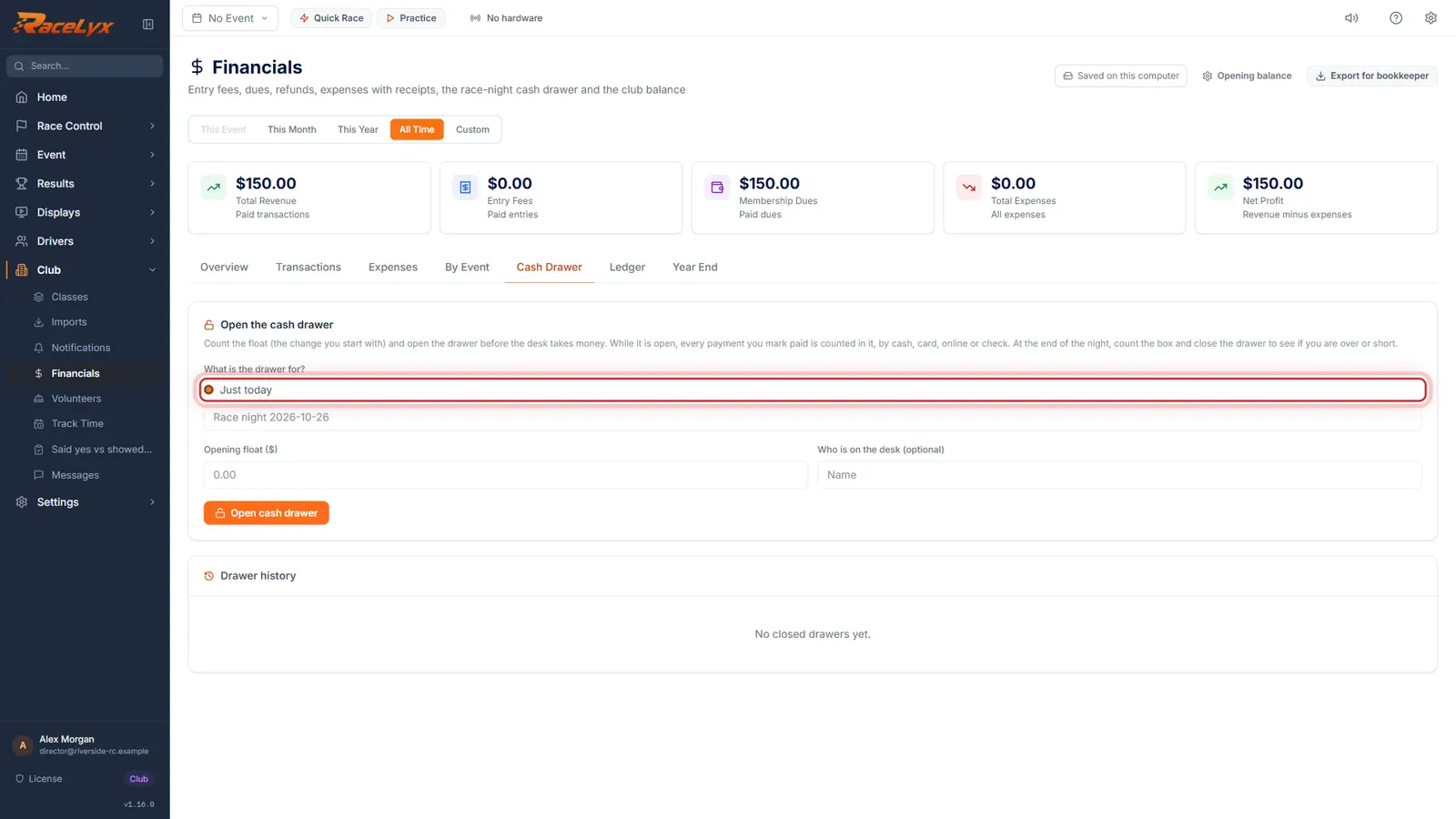
On Financials, open the Cash Drawer tab. On a practice day there is no event, so the drawer is for Just today.
Open Club, Financials, then Cash Drawer. What is the drawer for? offers Tonight's event when an event is active. On a practice day pick Just today and type a name, like Tuesday practice. The name goes on the close-out report and in Drawer history.
- 2
Name, float, then Open cash drawer
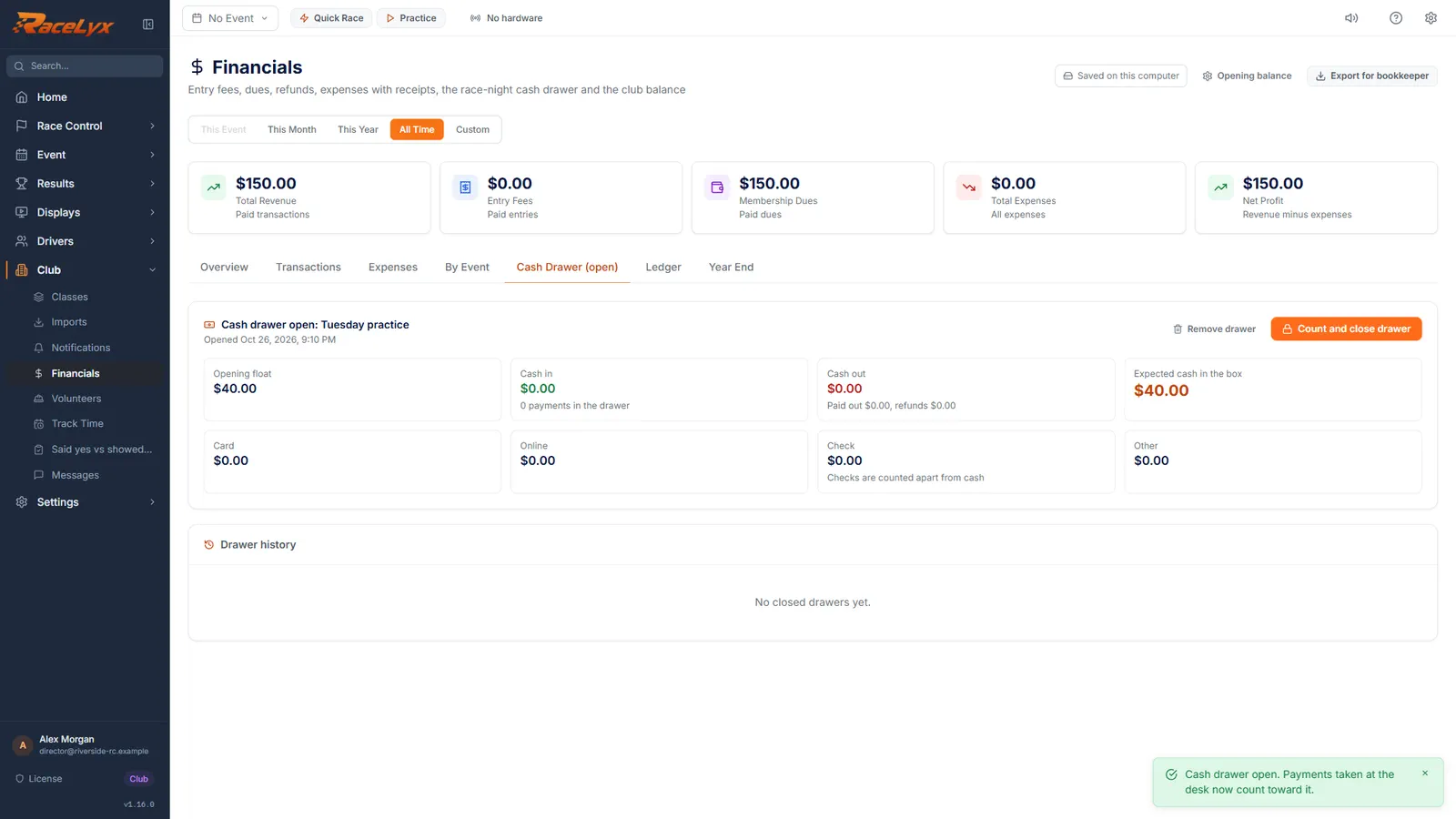
Type a name for the day and the float, the change you start with. Then click Open cash drawer.
Opening float ($) is the change in the box before anyone pays. Who is on the desk (optional) goes on the report. The toast says Cash drawer open, and the tab now reads Cash Drawer (open).
- 3
Add a Practice Fee
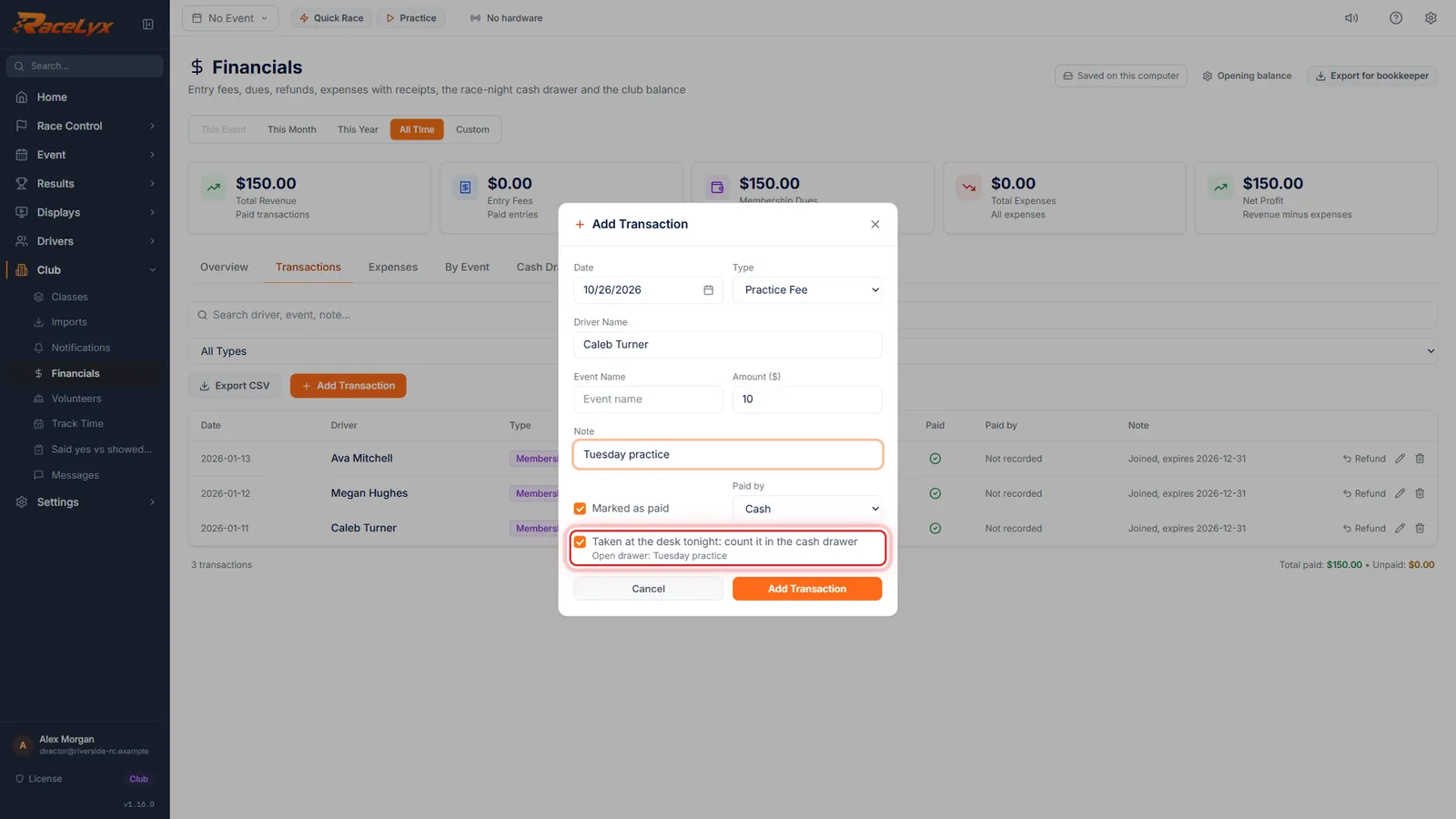
When a driver pays, open Transactions and click Add Transaction. Pick Practice Fee, then type the driver and the amount.
Click Add Transaction on the Transactions tab. Type is Practice Fee. Driver Name is who paid. Leave Event Name empty. Amount ($) is what they paid. Marked as paid is ticked, Paid by starts on Cash, and Taken at the desk tonight: count it in the cash drawer is ticked while the drawer is open.
- 4
Add Transaction
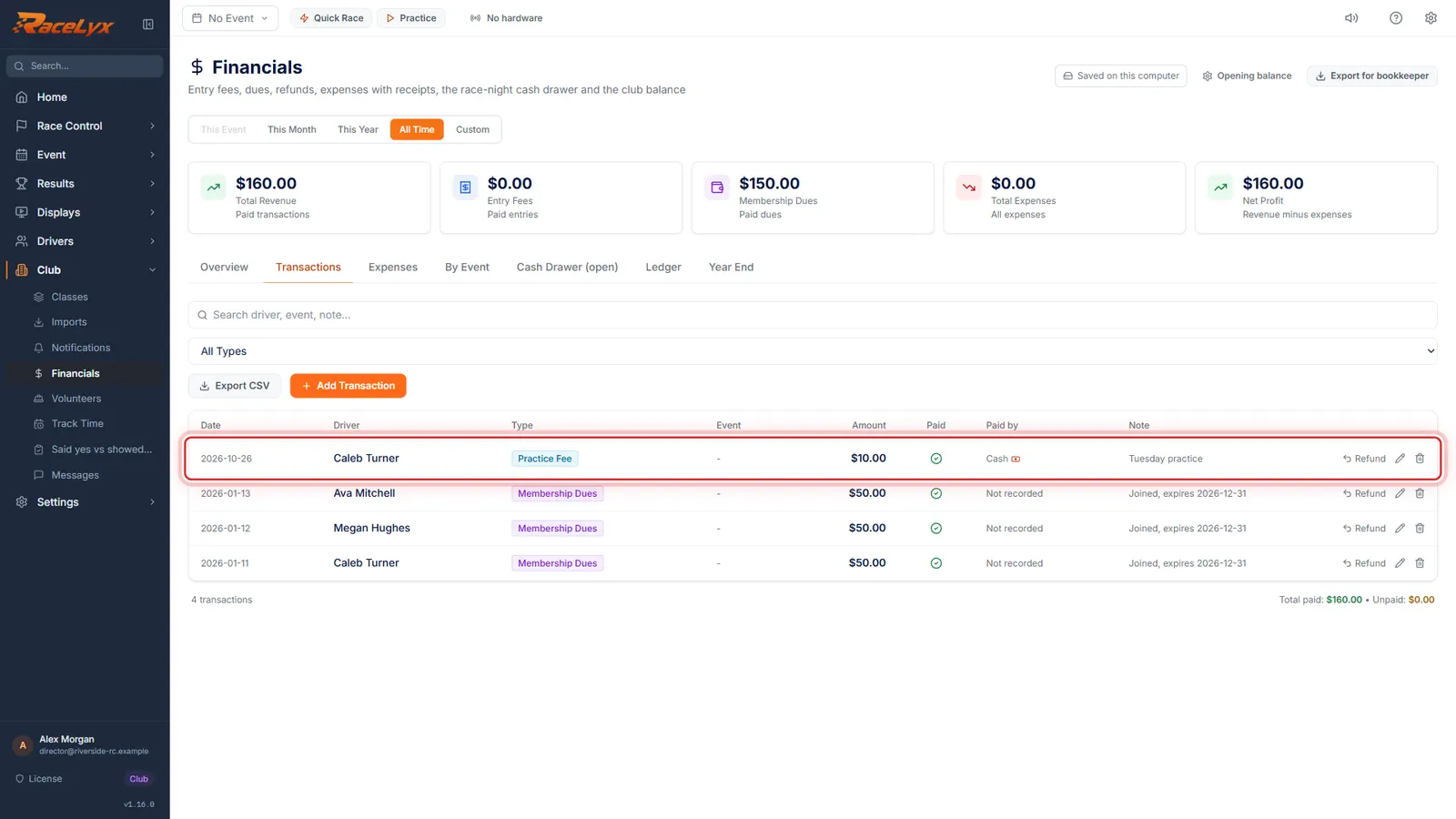
Click Add Transaction. The fee is on the list as a Practice Fee, paid by Cash and counted in the drawer.
The banknote icon next to Cash means the payment is in the open drawer. Add a row like this for every driver who pays. For a card payment, pick Card in Paid by.
- 5
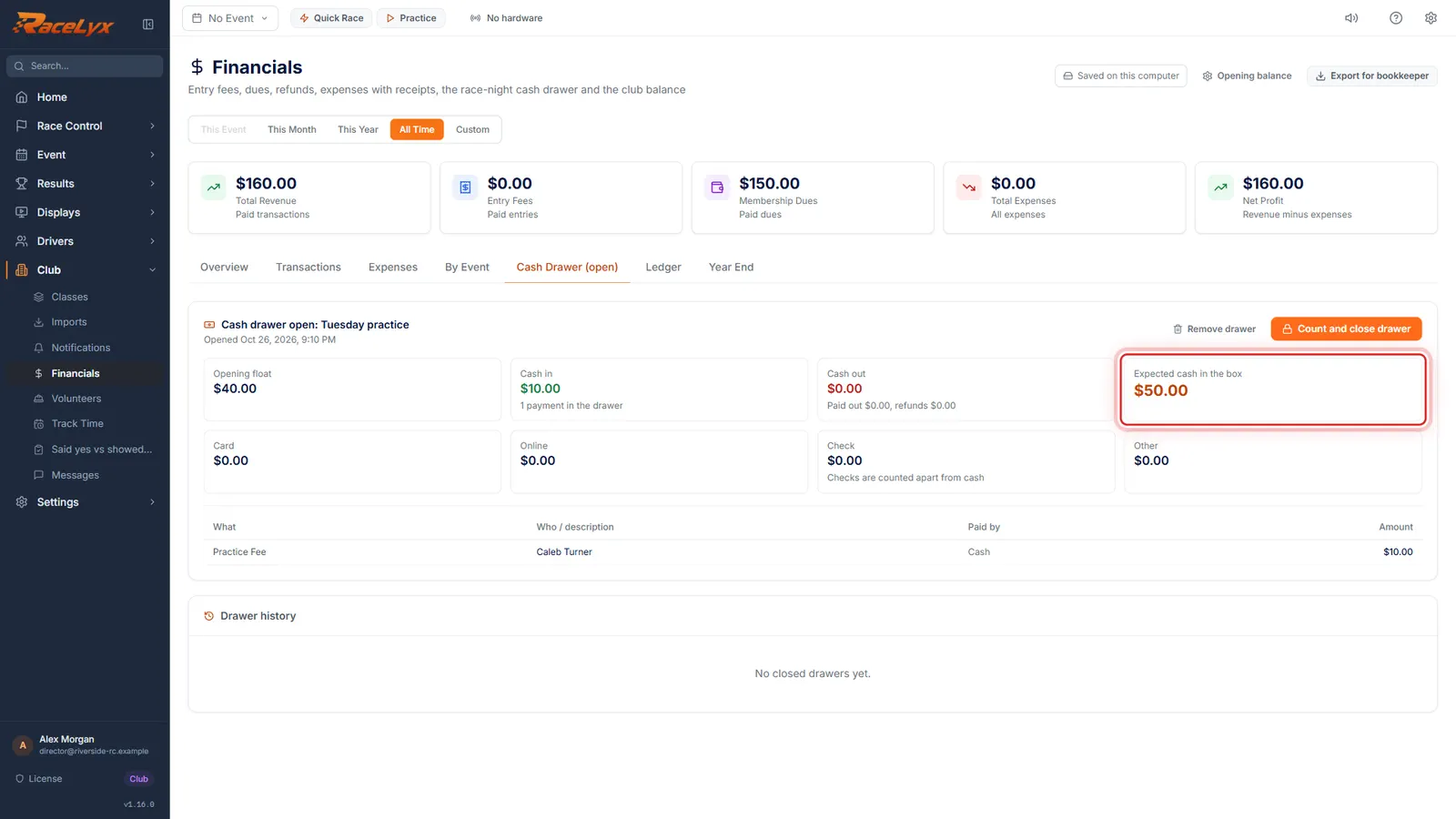
Expected cash in the box
Back on Cash Drawer (open), Expected cash in the box adds the fees to the float. At the end of the day, count the box and close the drawer.
Click Cash Drawer (open). Count and close drawer works as on a race night: count the bills and coins, close the drawer, and print the close-out report. See Cash drawer on race night.
Tips
- Type the amount each time. If members pay less, type the member price and say so in the Note.
- Leave Event Name empty on a practice day. Payments with no event show under No Event on By Event.
- Track Time shows who drove on each practice day, so you can check that everyone on track paid.
- Year End adds up Practice Fee on its own line under Income by type.
- Snacks and drinks have their own type, Concessions.
- Practice itself runs on Practice in the sidebar and is free on every plan; only the books need the Club plan.
Troubleshooting
- Enter the opening float as a dollar amount (0 or more).
- Type the float in dollars, like 40. Use 0 if you start with an empty box.
- A practice fee is missing from the drawer.
- It was added before the drawer opened, or Taken at the desk tonight was unticked. While the drawer is open, edit it on Transactions and tick Taken at the desk tonight.
- I charged someone twice.
- Delete the extra row with the bin on Transactions.
Related guides
Something here does not match what you see? Tell us and we will fix the guide.