Borrowed transponders and spare cars happen every race night. Roll call spots them before the start: a transponder that is not in this heat is listed with Assign, and a driver seen on another of their cars gets Use this car.
Before you start
- A heat staged, with roll call running.
Step by step
- 1
Stage the heat
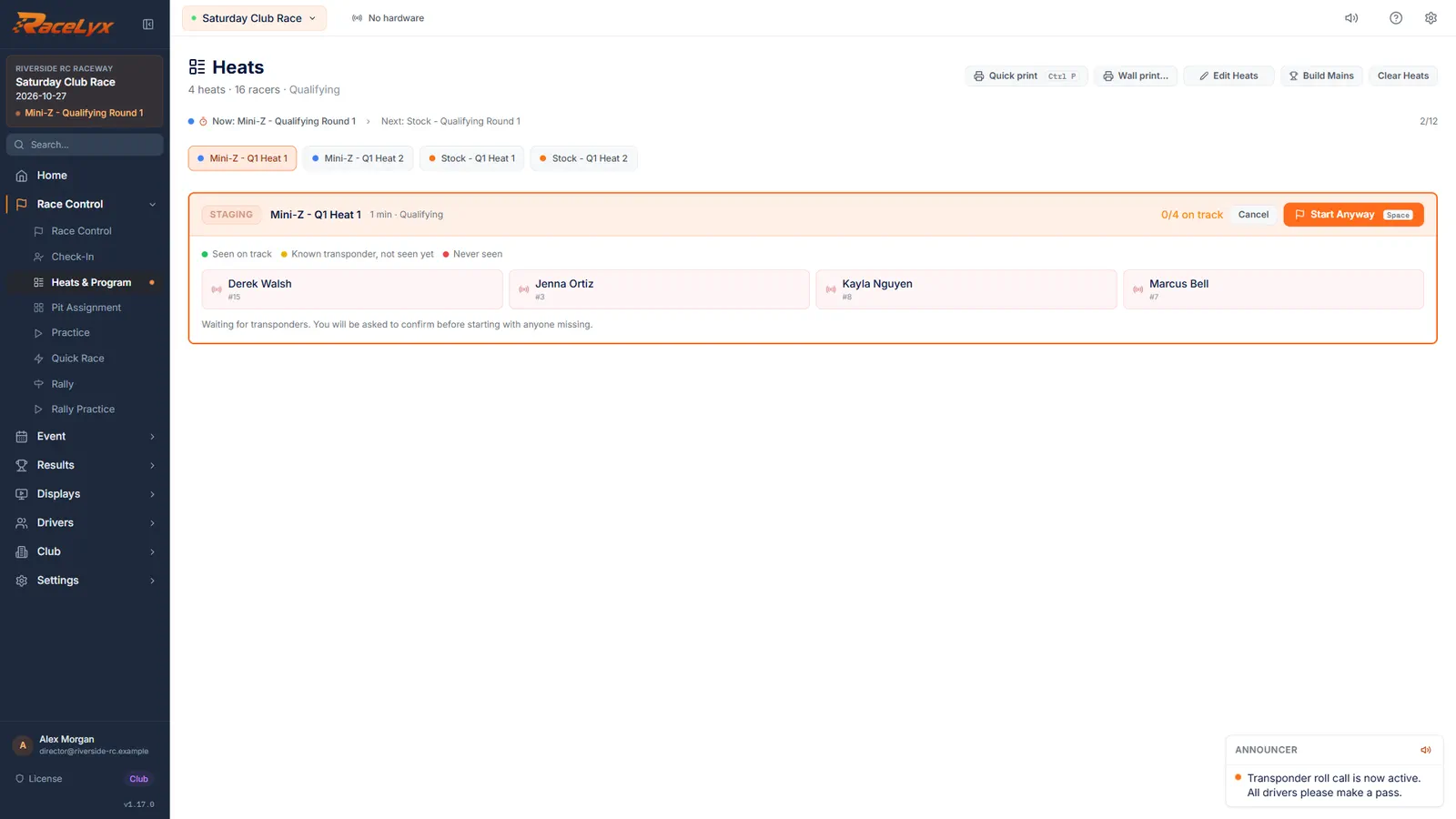
Stage the heat and let roll call run.
Click Stage Heat on Heats & Program. Roll call starts by itself and lists every transponder it sees, in the heat or not.
- 2
A stray transponder
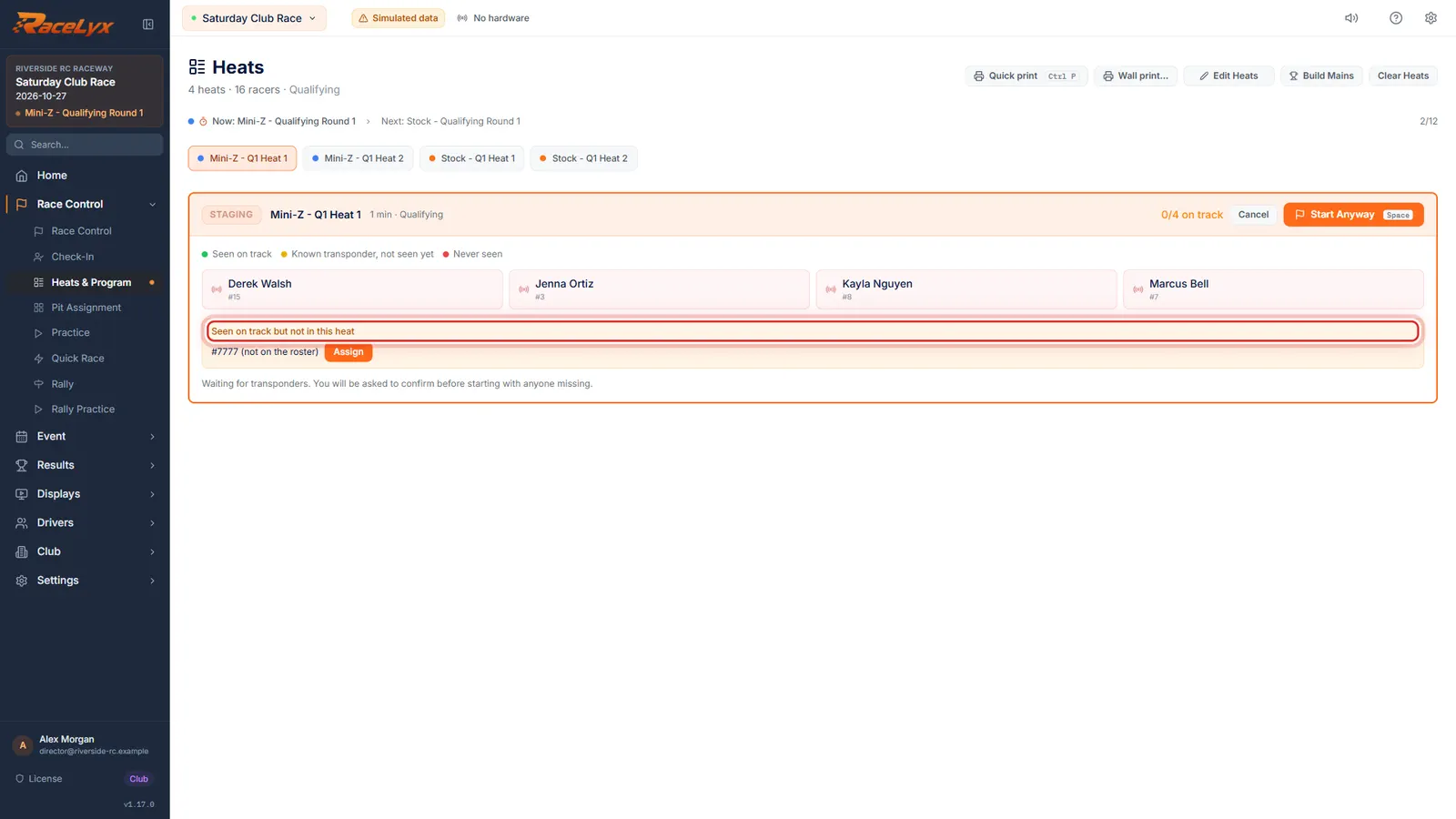
A transponder crosses that is not in this heat. It shows under Seen on track but not in this heat.
It is listed under Seen on track but not in this heat: "#7777 (not on the roster)" for a transponder nobody owns, or a driver's name for one that belongs to someone outside this heat. It could be a borrowed transponder, a driver from another heat warming up, or a new driver.
- 3
Assign it
Click Assign. Search for the driver who has it tonight, and pick them.
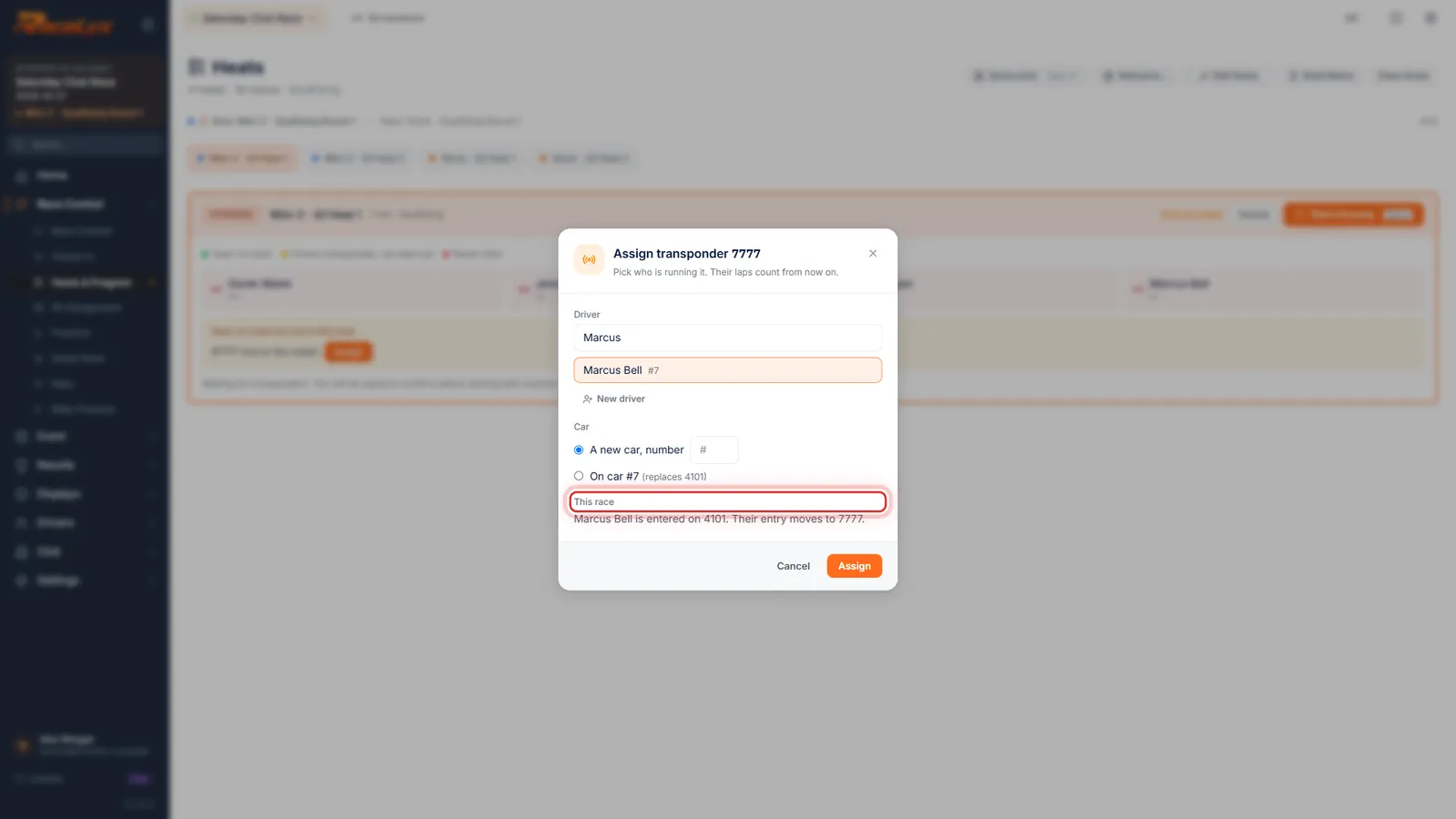
The Assign transponder 7777 window opens. Type part of a name, a car number or a transponder, and click the driver. New driver adds someone who is not on your Drivers list yet.
- 4
Check, then Assign
Check what happens to their entry, then click Assign. Their laps count on this transponder from now on.
Under Car, A new car keeps their own car on their record and adds this one, while On car #7 replaces it. This race says, for example, "Marcus Bell is entered on 4101. Their entry moves to 7777." For someone not in this heat, pick Add to this race, or In place of a driver who is not here. Their Check-In card then opens: click Close for now.
- 5
Wrong car
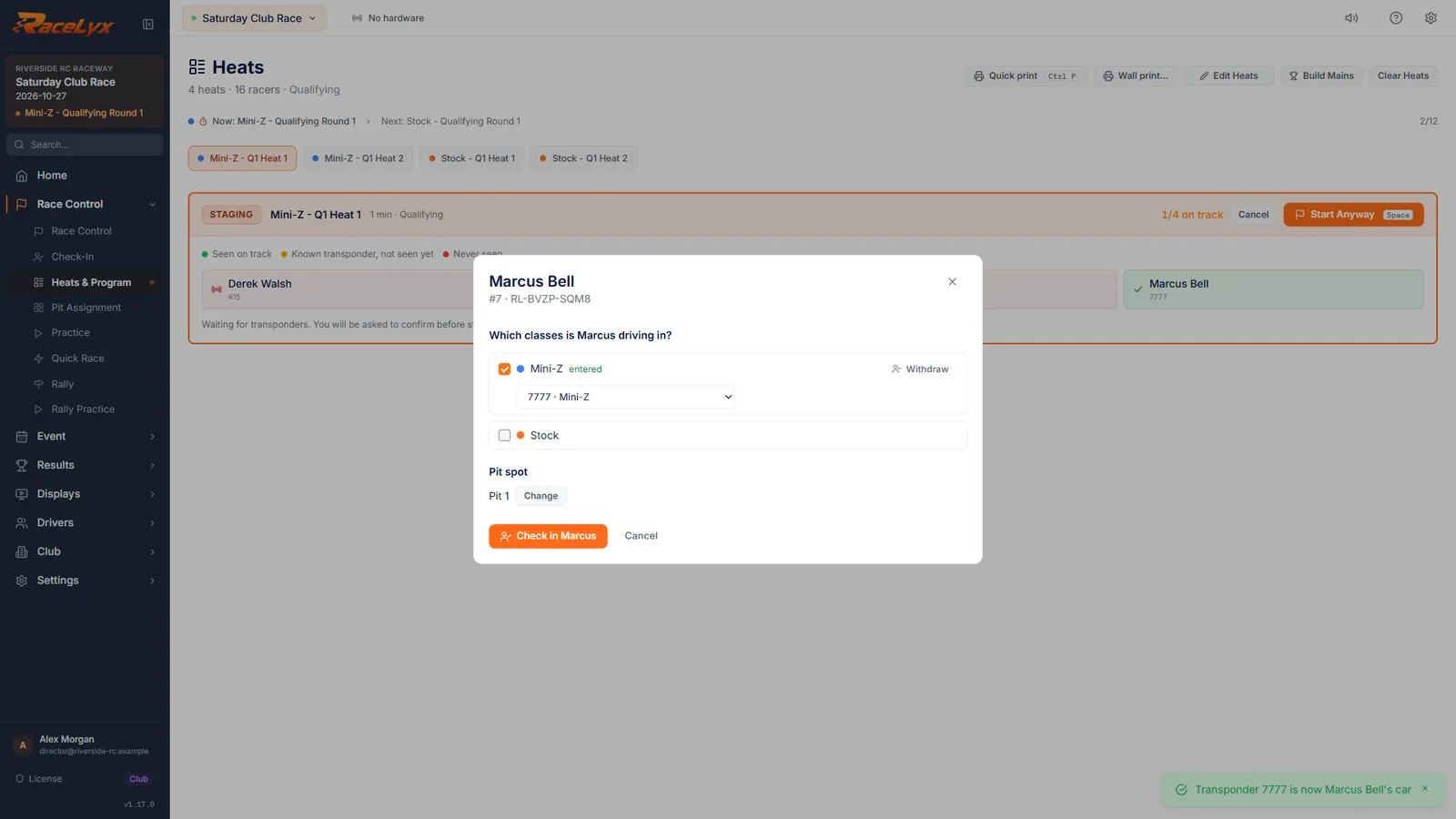
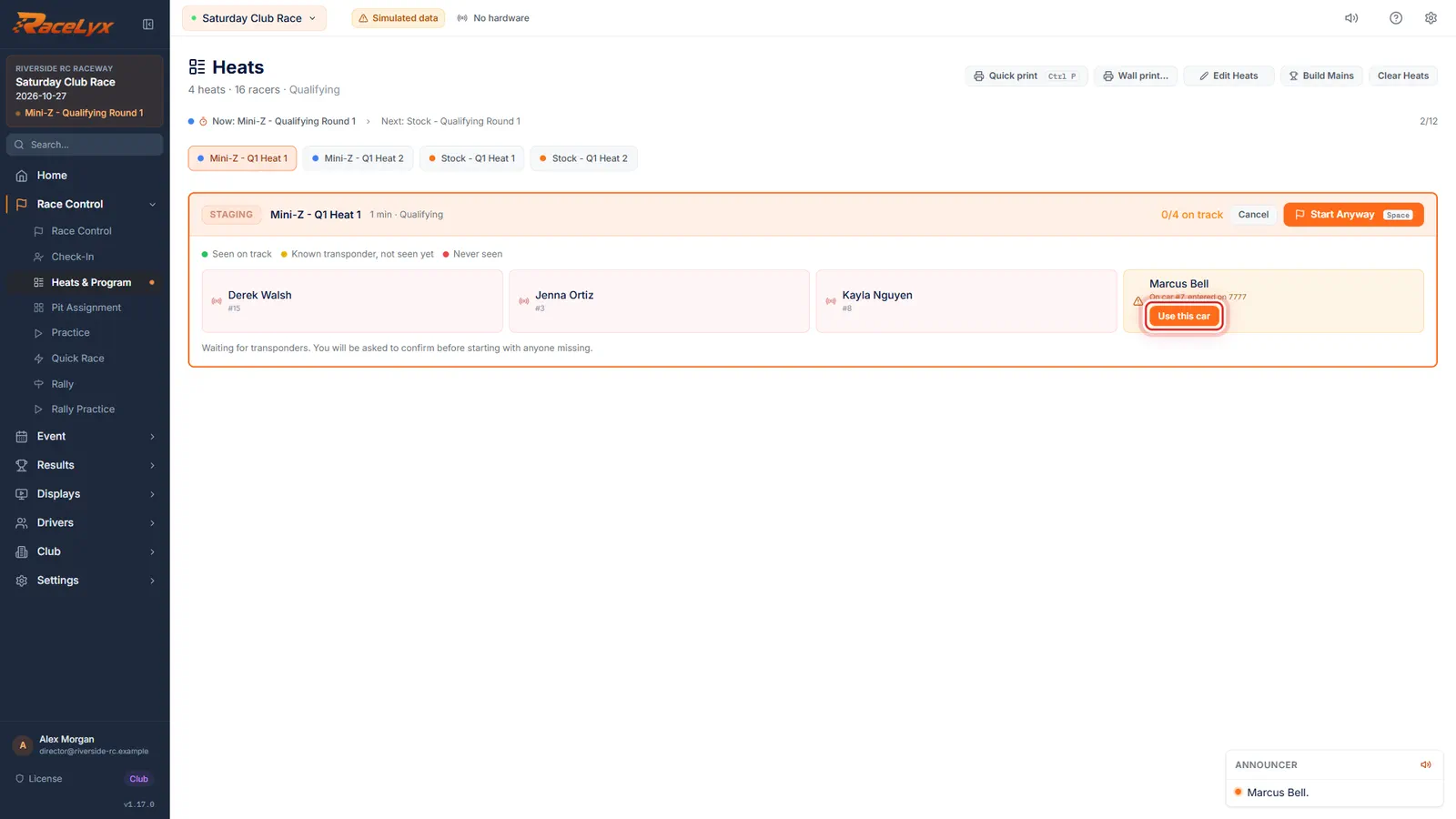
When a driver crosses on another of their cars, their card turns amber and names it. Here Marcus is entered on 7777, but his own car crosses.
The card reads, for example, "On car #7, entered on 7777", and those laps would not count. To show it, roll call was restarted here with Cancel and Stage Heat, then Marcus's own car went out.
- 6
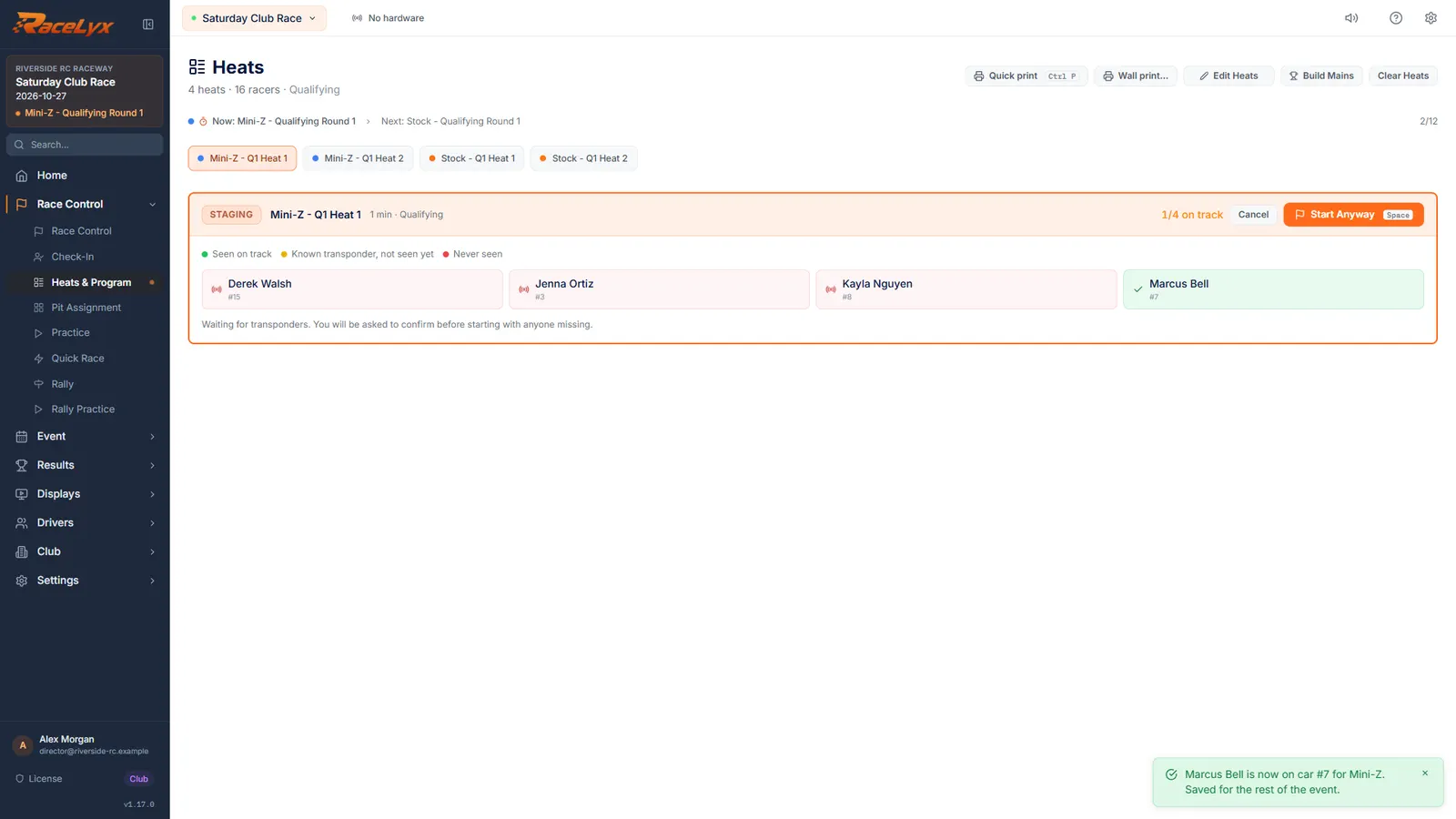
Use this car
Click Use this car. The card turns green: their entry is now on the car they brought.
If you start without switching, RaceLyx asks first and offers Switch and start, which switches everyone on the wrong car in one go.
Tips
- Assign puts the transponder on a driver and in this heat in one step.
- Use this car switches the driver's entry to the car they actually brought, so their laps count.
- Before starting, RaceLyx offers Switch and start for anyone on the wrong car.
- After Assign in an event, the driver's Check-In card opens so you can finish their classes, pit and payment. During a heat it waits instead: they are listed on Check-In under Waiting at the desk, with Finish.
- During a heat, a car that is not entered shows on the Timing line above the table instead. See Missed reads and timing warnings.
Troubleshooting
- A borrowed transponder's laps went to the owner.
- Assign it to the borrower before the start. Results cannot move laps from one driver to another. After the heat, either re-run it, or put the transponder on the right driver and rebuild the heat with Recover a heat, then delete the first copy.
- "Seen on track but not in this heat" lists a driver from the next heat.
- They are warming up. Leave them: only this heat's drivers are scored.
- Assign is greyed out in the window.
- Read the amber line above the buttons: it says why, for example the plan's driver limit.
Related guides
Something here does not match what you see? Tell us and we will fix the guide.