When the count does not match, it is usually how a payment was recorded, not lost money. Three things cause most of it: the Paid toggle on Drivers always records Cash, a payment added without Taken at the desk tonight is left out of the drawer, and drawer over and short never reach the ledger. Financials needs the Club plan.
Before you start
- Club plan (or a trial).
- A closed cash drawer, or your bank statement, to compare with.
Step by step
- 1
See how far out it is
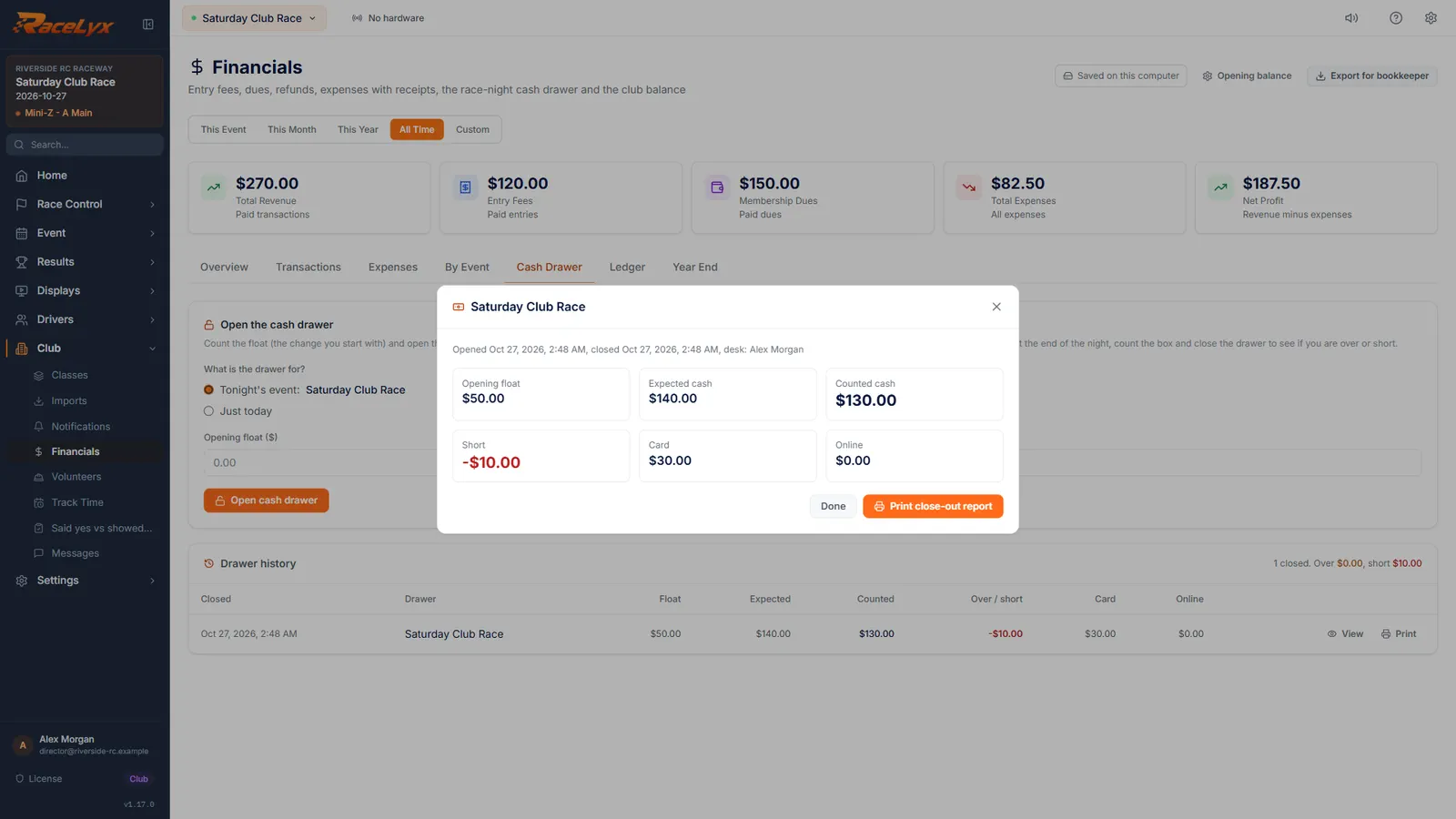
On Financials, open Cash Drawer and click View on the drawer in Drawer history. This one came up ten dollars short.
The close-out shows the float, cash in, cash out, Expected and Counted cash, and Over, Short or Even. Card, Online and Check totals are counted apart from the box.
- 2
Check Paid by
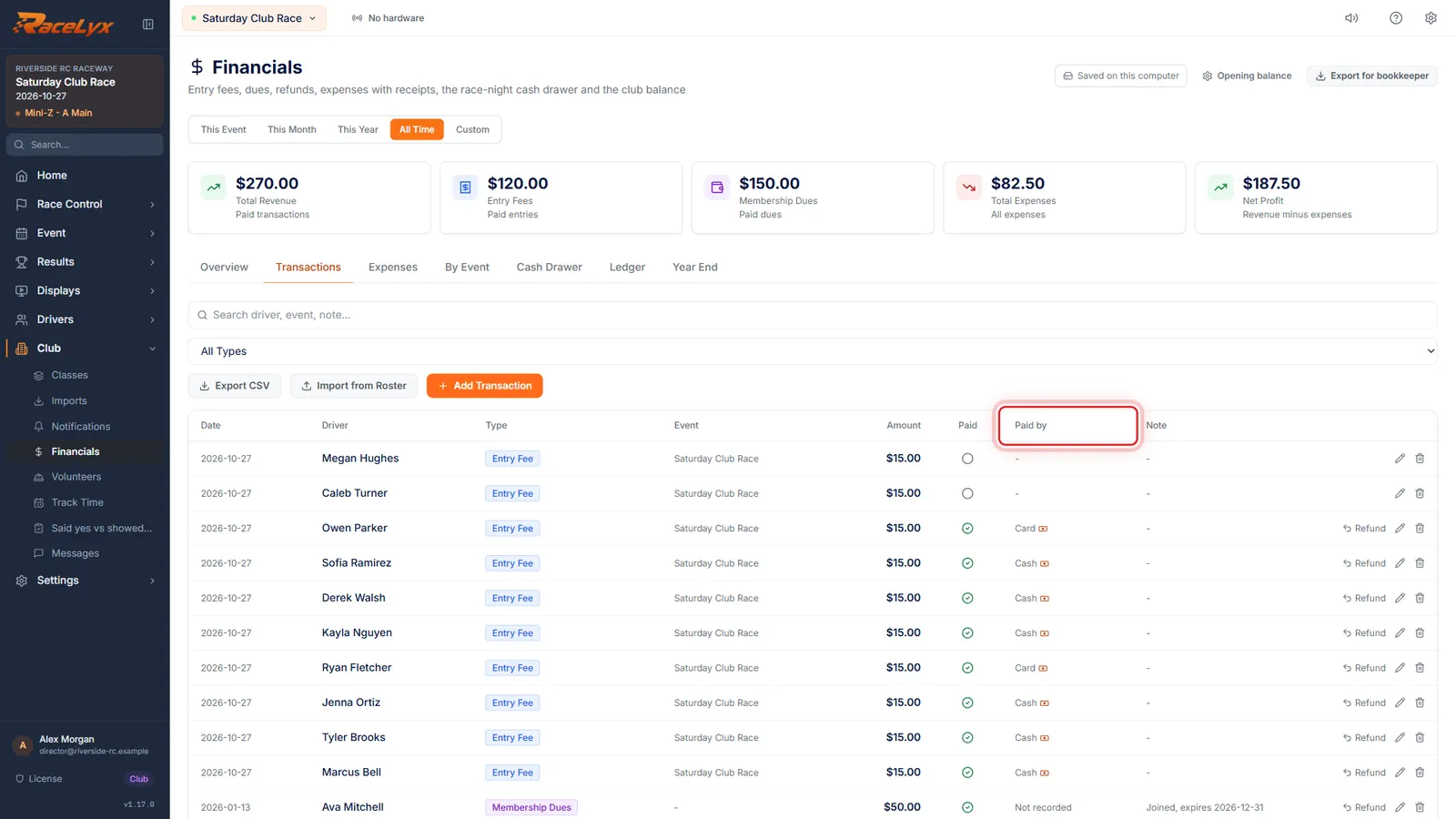
On Transactions, check Paid by. The Paid toggle on Drivers always records Cash, so a card payment marked there makes the drawer look short.
Close the close-out and open Transactions. Go down Paid by and compare it with what happened at the desk. A banknote icon means the payment was counted in a drawer. A card payment recorded as Cash is the most common cause of a short drawer.
- 3
Fix it with the pencil
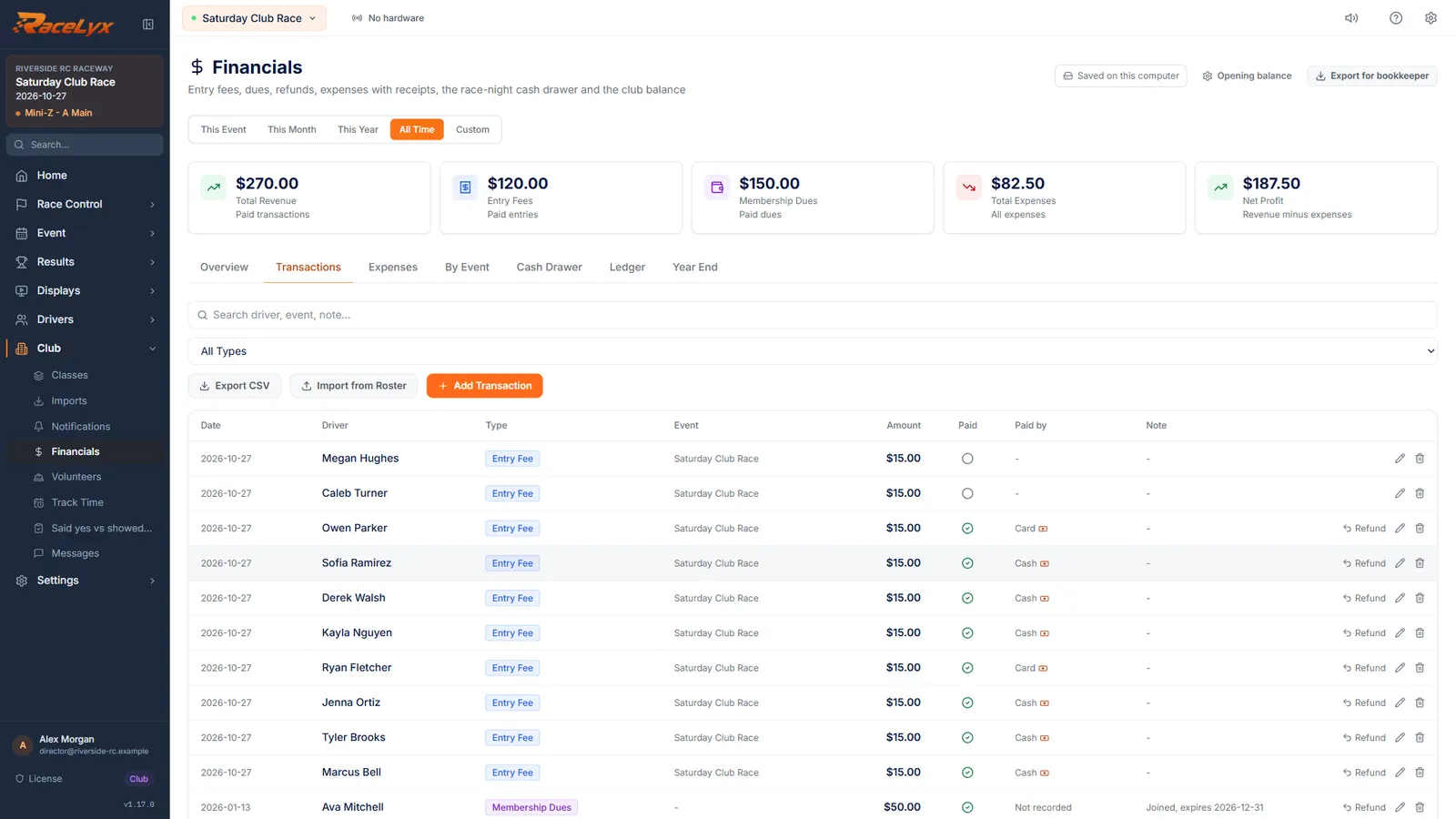
Click the pencil on the payment, set Paid by to Card, and click Save Transaction.
Edit Transaction lets you fix Paid by, the amount or the note. While a drawer is open the same window has Taken at the desk tonight: count it in the cash drawer, for a payment that was left out of the drawer.
- 4
Book a real short
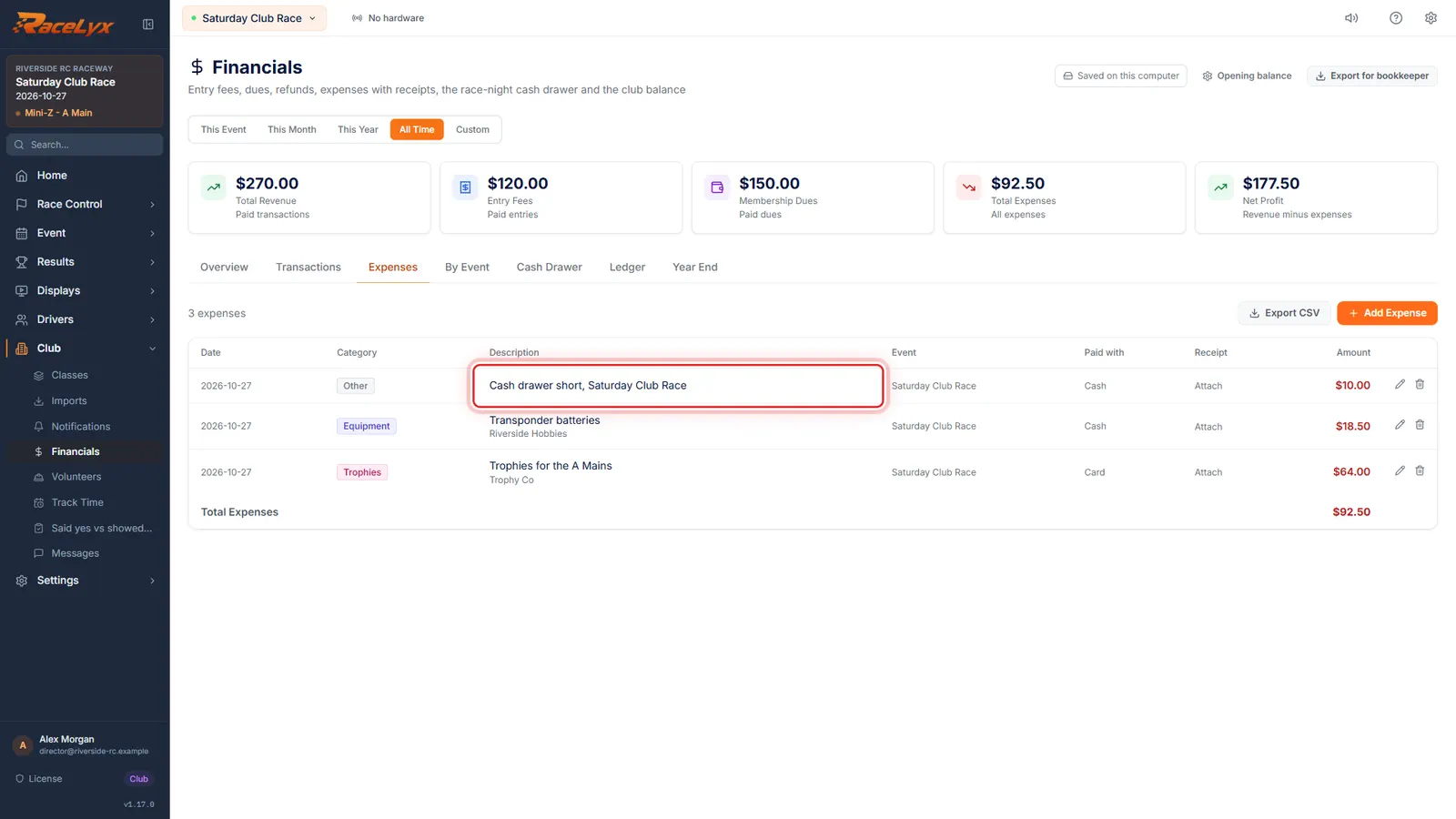
Still short? Over and short never reach the ledger. On Expenses, add the short as an Other expense, so the club balance matches the box.
Click Add Expense on the Expenses tab: Category Other, Paid with Cash, and the amount short. An over goes the other way: Add Transaction with the type Other Income. Year End still lists the drawer's over and short under Cash drawers.
Tips
- Take card payments with Card on the Check-In card, not the Paid toggle on Drivers, which records Cash.
- Online payments are booked at the full amount, but the bank gets them less Stripe's fee and the RaceLyx $0.50. See Reconcile a Stripe payout.
- The float is not income: never add it as a transaction.
- Checks are counted apart from cash. Leave them out of the box count.
- A cash expense paid from the box needs Paid out of the cash drawer ticked on Add Expense.
- Over and short still show under Cash drawers in Year End after you book them.
Troubleshooting
- A payment is missing from the drawer.
- It was marked paid before the drawer opened, it was paid Online, or Taken at the desk tonight was unticked. While the drawer is open, edit it on Transactions and tick Taken at the desk tonight.
- The drawer is short by exactly one entry fee.
- Look for a card payment marked with the Paid toggle on Drivers: it counts as Cash. Fix Paid by with the pencil.
- Year End shows over and short, but the club balance ignores them.
- That is how RaceLyx works: drawer over and short are reported, not booked. Book them as an expense or Other Income to move the balance.
Related guides
Something here does not match what you see? Tell us and we will fix the guide.