Most nights every class runs the same: Event Setup's rounds, heat length, cars per heat and mains length. When one class needs something different, like shorter Mini-Z heats or a longer A Main for your fastest class, give that class its own length on Classes. A class's own length always wins over Event Setup, so leave the boxes empty for every class that should follow the event.
Before you start
- Classes set up. An event helps but is not needed for the Classes part.
Step by step
- 1
Open Classes
Open Club, Classes. Each class line says which lengths are its own. Here both classes set their own one minute heats and mains.
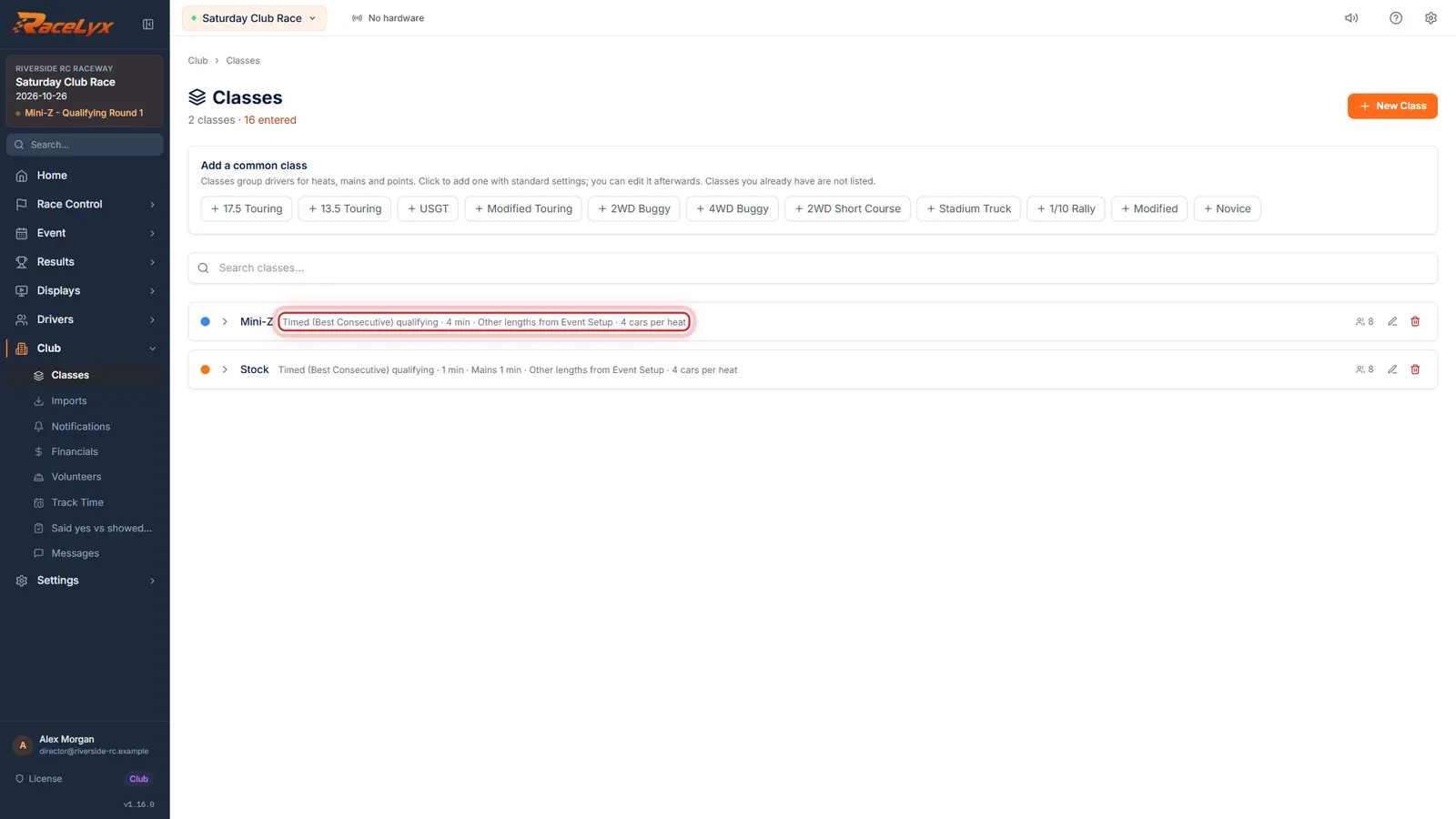
The line under a class name reads, for example, Timed (Best Consecutive) qualifying, 1 min, Mains 1 min, Other lengths from Event Setup, 4 cars per heat. Only the lengths spelled out are the class's own. Lengths from Event Setup means the class follows the event completely, which is what most clubs want.
- 2
Edit class
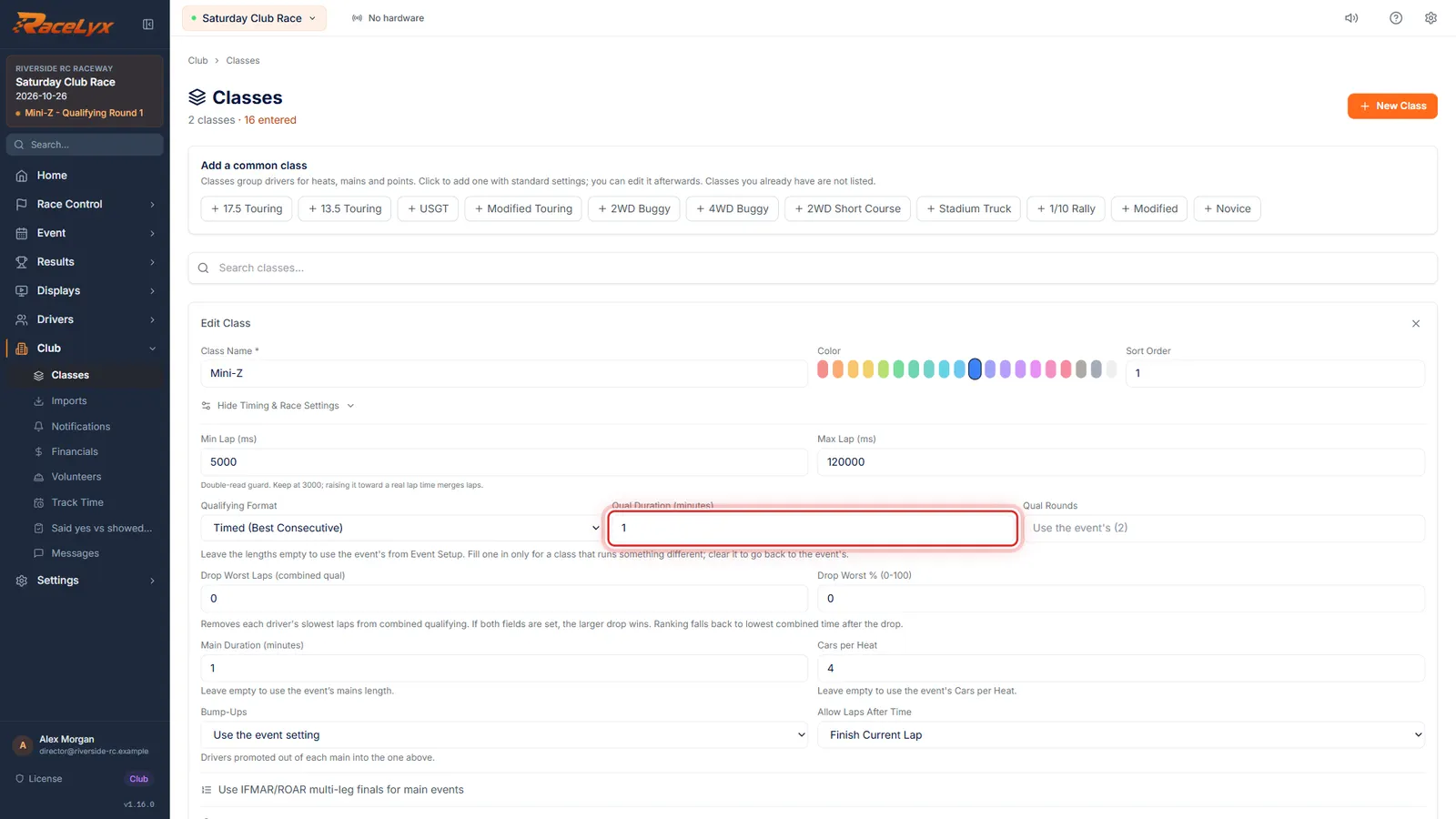
Click Edit class on Mini-Z. Qual Duration, Qual Rounds, Main Duration and Cars per Heat belong to this class. An empty box uses Event Setup.
Edit class opens the class form with Timing & Race Settings showing. Each empty length box shows the event's value greyed out as its placeholder. The note under the qualifying boxes says it plainly: leave the lengths empty to use the event's from Event Setup; fill one in only for a class that runs something different.
- 3
Set or clear its own lengths
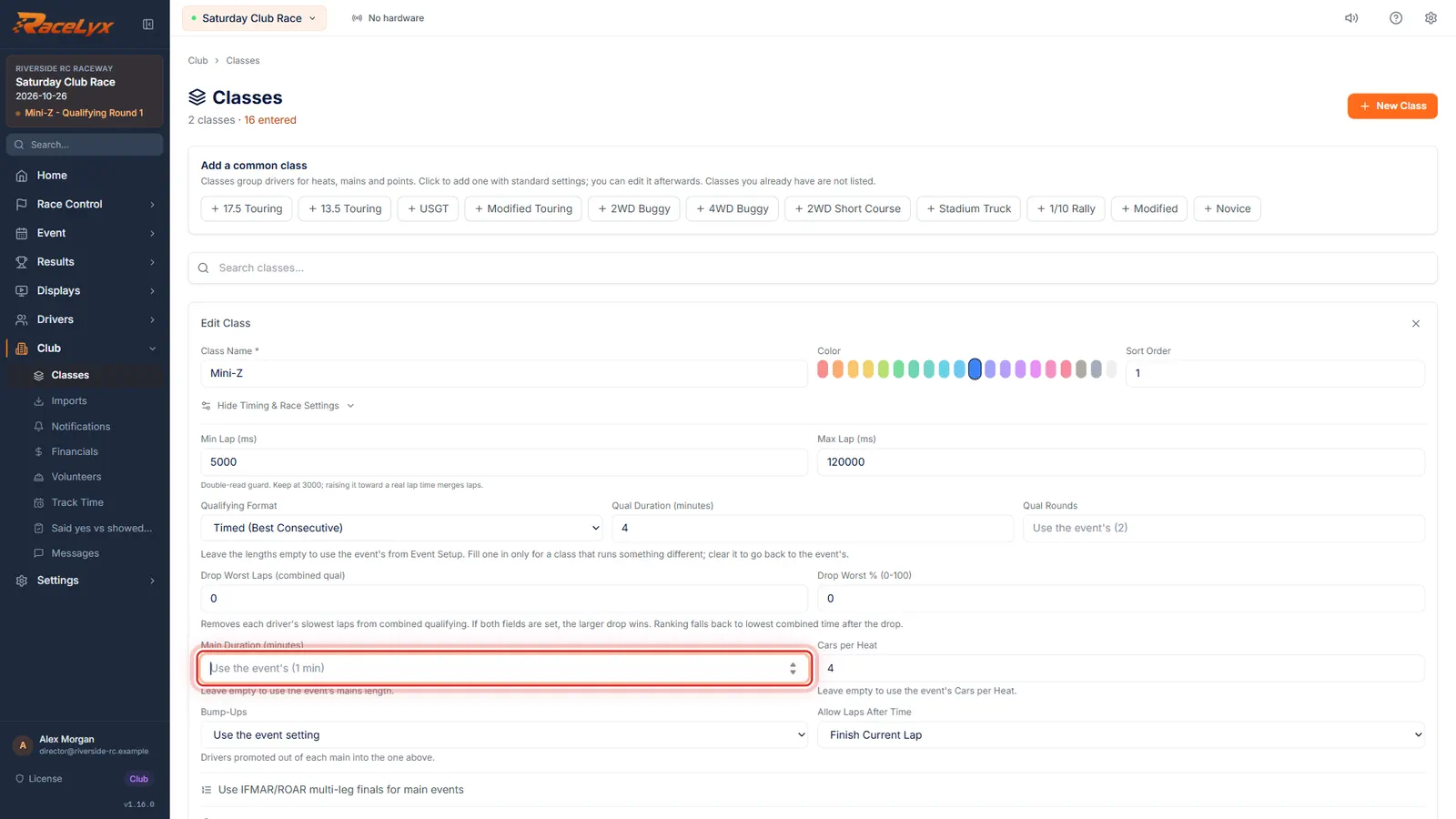
Type a length only where this class is different. Here Mini-Z runs four minute heats. Clear Main Duration so its mains follow the event.
Qual Duration (minutes) and Main Duration (minutes) take half minutes too, like 4.5. Qual Rounds is the number of qualifying rounds for this class. Cars per Heat, left empty, uses the event's Cars per Heat. Clearing a box sends the class back to Event Setup's value.
- 4
Update Class
Click Update Class. The class line now reads four minutes, with its other lengths from Event Setup.
The change is used the next time heats are drawn for this class. Heats already in the program keep their length. On the heat form, the Duration box says Every class runs this, unless it has its own length on Classes, and the preview line says length per class when classes differ.
- 5
Different laps for a class
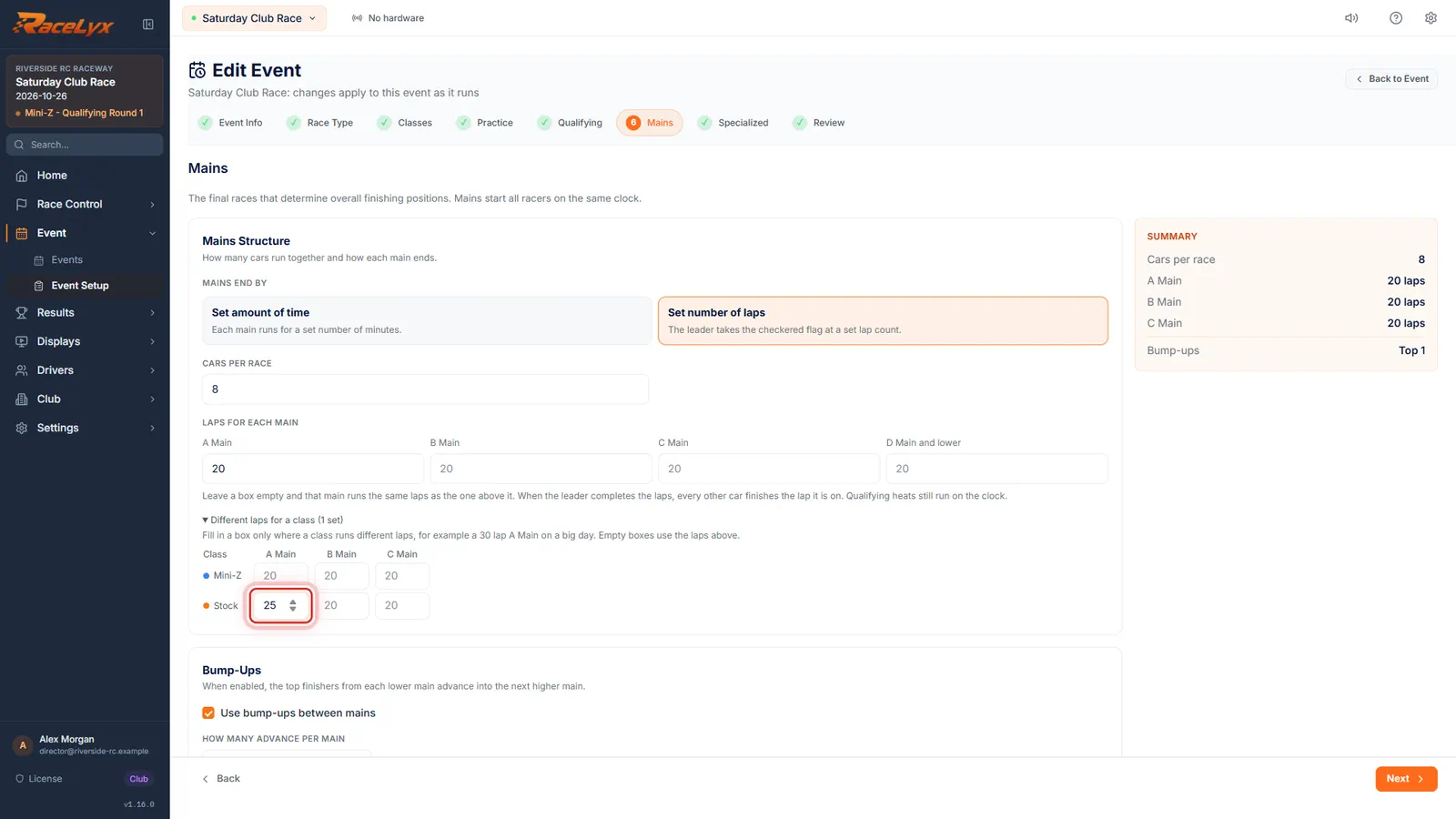
Lap mains have their own table. In Edit Event, on Mains with Set number of laps, open Different laps for a class and type laps only for the class that differs.
The table lists the event's classes with an A Main, B Main and C Main box each. An empty box uses the laps above it, for example a 30 lap A Main for your fastest class on a big day while everyone else runs 20. A class's own Main Duration on Classes applies only to timed mains.
- 6
Save Changes
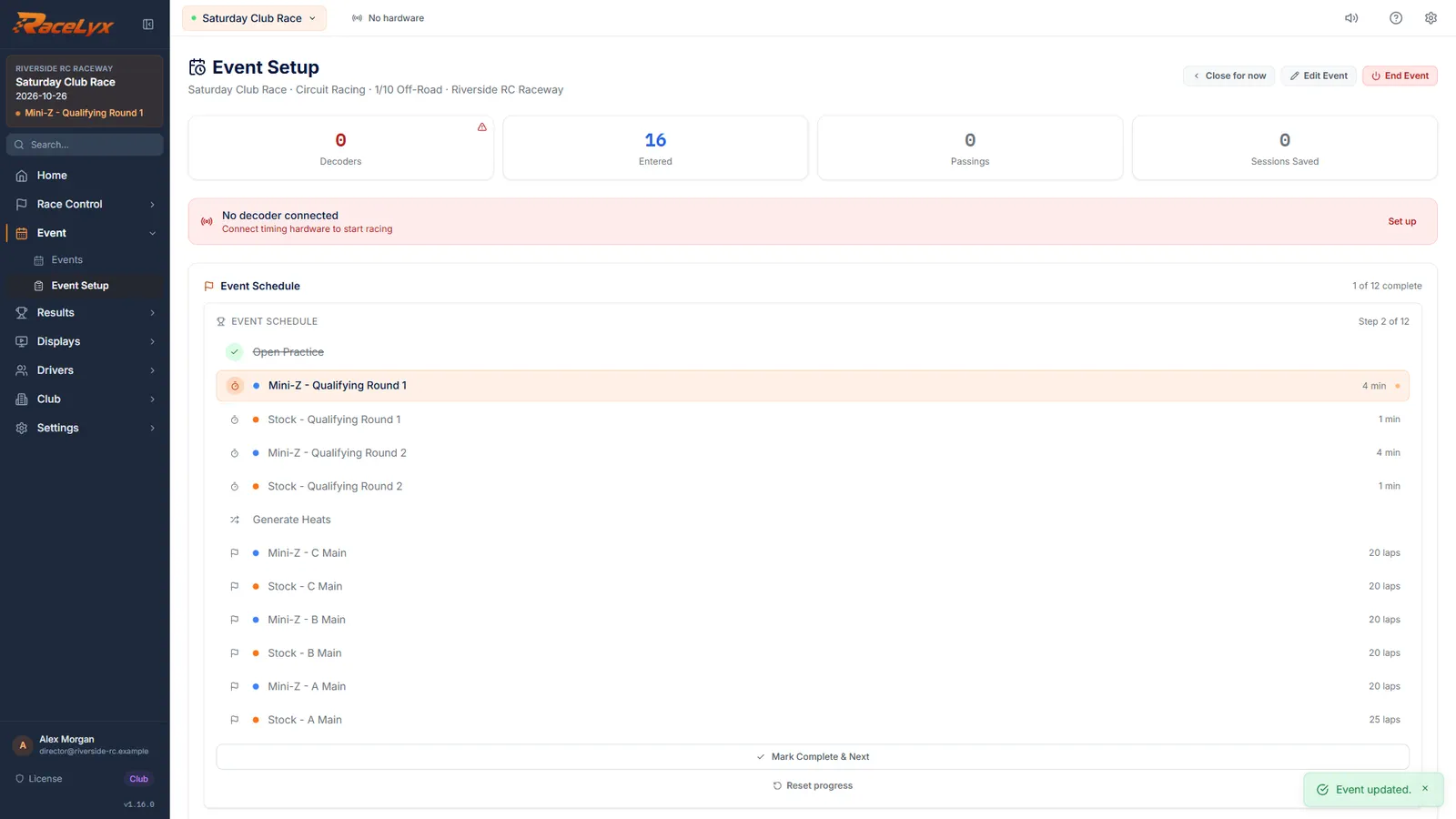
Go to Review and click Save Changes. Stock's A Main now runs twenty five laps; every other main runs the event's laps.
RaceLyx says Event updated. A changed mains length re-times the mains not yet run. Saved results never change.
Tips
- The rule, for every length: the class's own (set on Classes) wins; then the event's per-class laps (lap mains only); then Event Setup; then the heat form's box, which starts from Event Setup.
- Each class line on Classes says what it runs. Lengths from Event Setup means the class has nothing of its own.
- A class's own Cars per Heat is used for its heats and its mains, whatever the heat form's Racers / Heat box says.
- There is no per-class minutes setting in Event Setup. For a class that runs longer timed mains, set its Main Duration on Classes.
- Changing a class's Main Duration on Classes re-times that class's mains not yet run.
Troubleshooting
- I set 5 minute heats in Event Setup, but one class ran 1 minute.
- That class has its own Qual Duration on Classes. Clear the box, click Update Class, and draw its heats again.
- Different laps for a class is missing.
- It shows only when mains end by Set number of laps, and only for classes ticked in the event.
- The heat form says "length per class".
- Classes in the draw run different lengths, because at least one has its own. That is expected.
Related guides
Something here does not match what you see? Tell us and we will fix the guide.